GraphSpy in the Wild: Exposed Device Code Phishing Operation
Analysis of a device code phishing operation built on the open-source GraphSpy tool, extended with a custom phish page generator and Cloudflare tunnel infrastructure, found via an exposed open directory and unauthenticated operator panel.
Intro
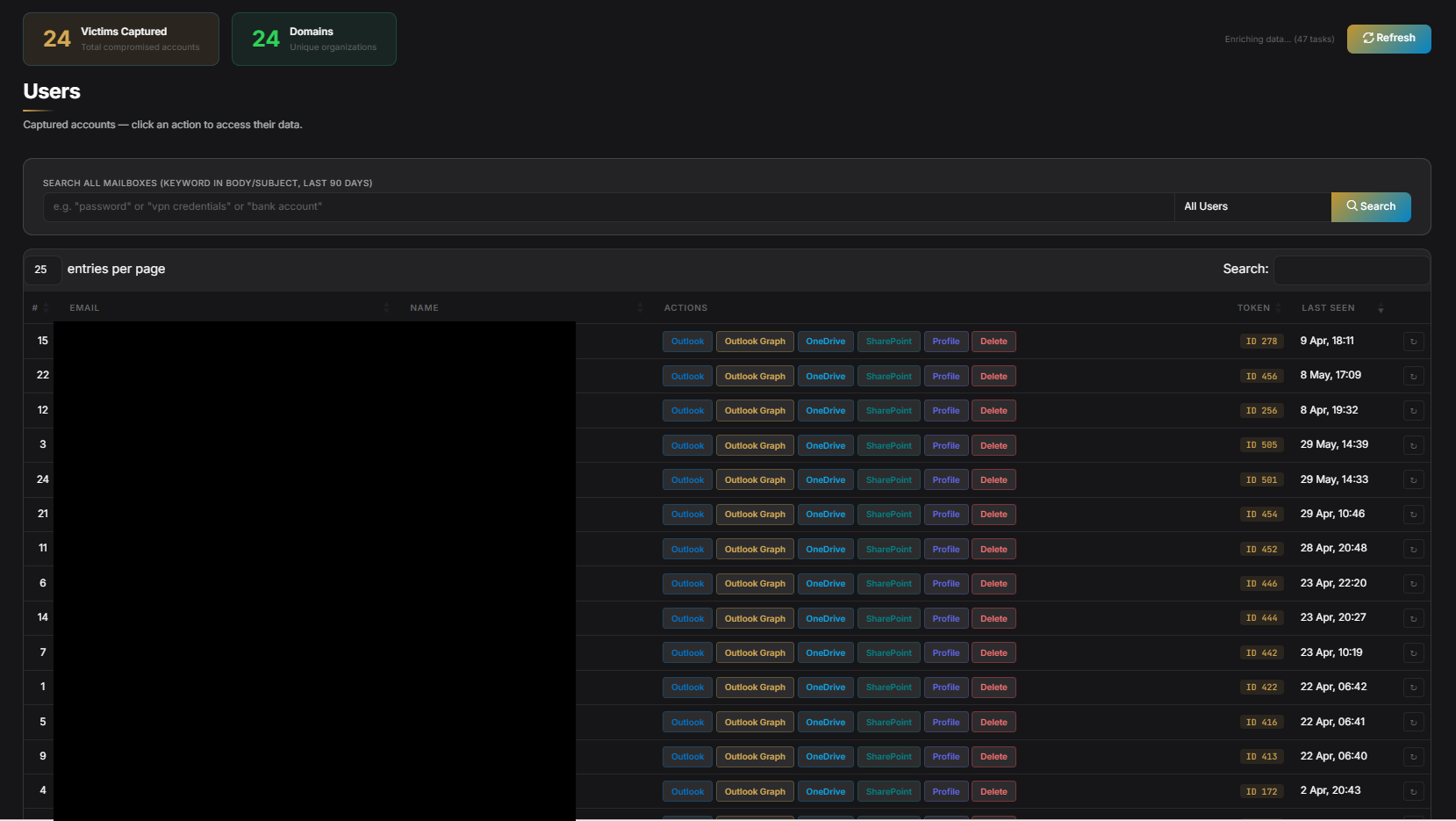
Another week, another exposed operator panel. While performing open directory hunting, I came across a directory containing files that looked related to a device code phish kit. A pivot on domains found within the source code led to an unauthenticated token management panel. Within the operator’s panel were real victim tokens, which I reported to the affected organisations.
The platform, is an adaptation of GraphSpy, a well-known open-source red-team tool. There is also a custom UI over the top, as well as a relatively thin custom feature layer on top consisting of: a Python application that adds a phish page generator, Cloudflare Quick Tunnel infrastructure management, and C2 callback endpoints that link the phish pages back into GraphSpy.
This post separates what is GraphSpy (publicly available, documented, used by both red teams and threat actors) from what the operator added on top - and documents the phish pages found in the open directory that led to this find.
Device Code Phishing…Again?
I covered device code phishing and common post exploit actions in depth in my previous post on Device Code Lab, as well as in a previous post on the emergence of a new large scale device code phishing campaign
GraphSpy - The Foundation
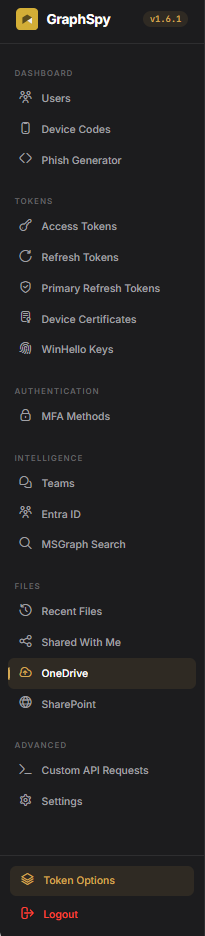
GraphSpy is a public, open-source red-team tool, designed for post-compromise Microsoft 365 access via OAuth tokens. It is not novel or custom - it is freely available on GitHub and well-documented. Its capabilities include:
- Device code generation and polling
- OAuth token capture and storage (SQLite)
- Microsoft Graph API proxying
- Full Outlook Web Access interface via Graph API calls
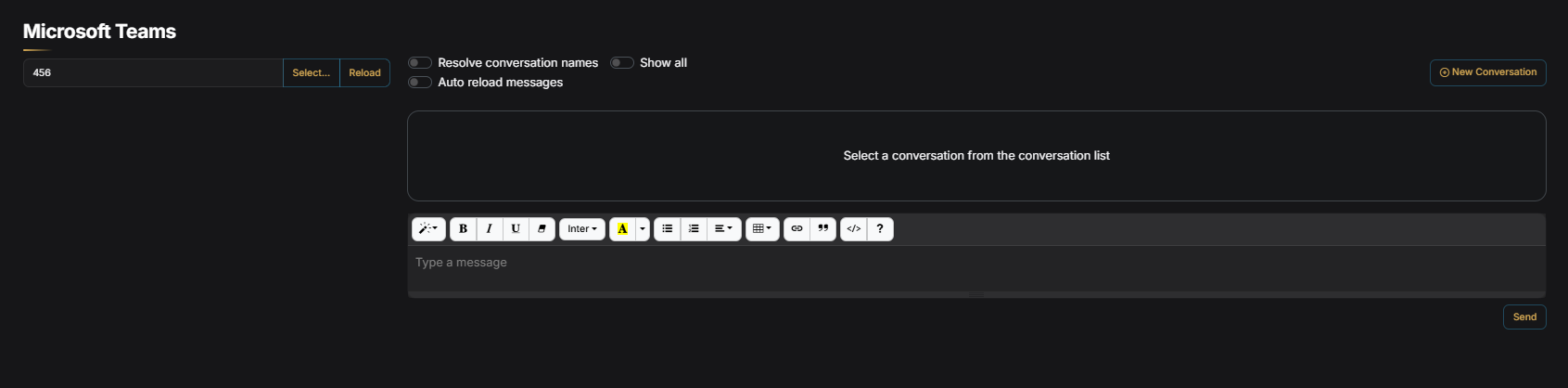
- Teams message access
- Azure AD device registration (Windows Hello FIDO2 path) for PRT capture
- FOCI token pivoting across Microsoft services
Everything in the post-compromise sections below is standard GraphSpy functionality. The operator did not build these functions, but forked the existing tool and put a new UI over the top. They also integrated some phish templates and a phish page pipeline using Cloudflare.
The Custom Wrapper - What the Operator Actually Built
The custom layer (/opt/threatclass/app.py) is a Python application that sits alongside GraphSpy and adds three things GraphSpy does not have out of the box:
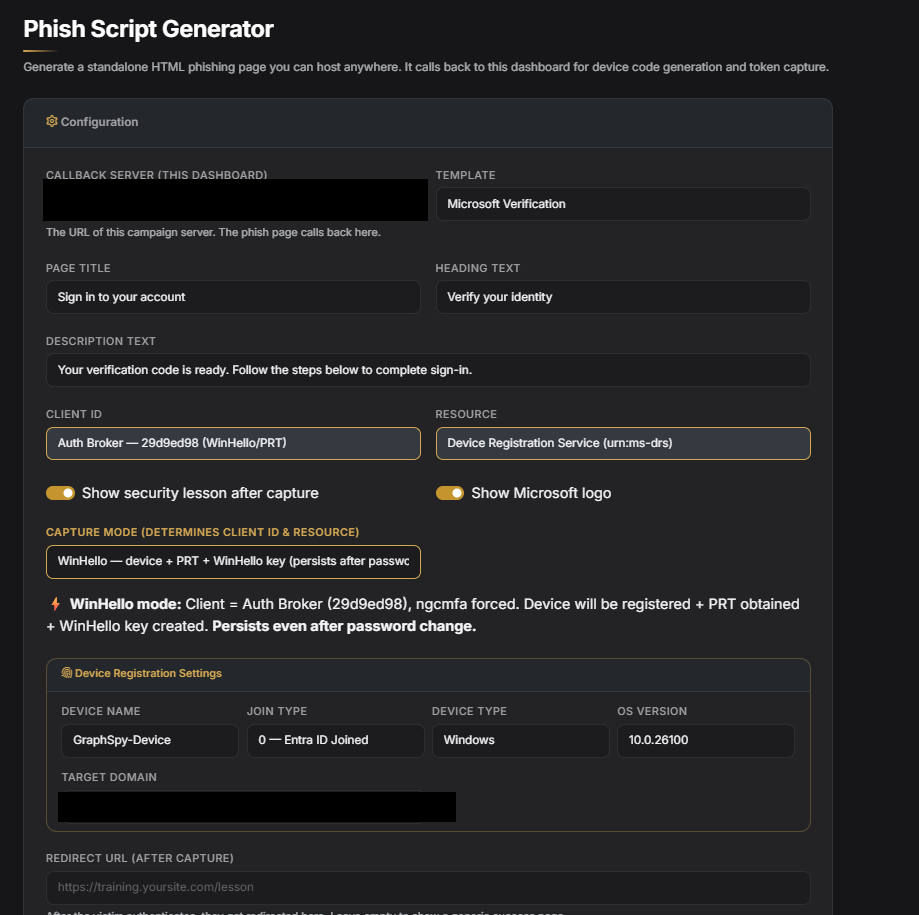
- A phish page generator - five lure templates that produce XOR-obfuscated device code phishing pages, hosted at
/p/<token>on the same server - Cloudflare Quick Tunnel management - two systemd services that expose GraphSpy’s admin panel and the phish pages as separate
trycloudflare.comdomains - C2 callback endpoints (
/api/remote/generate-code,/api/remote/poll-status) - CORS-open API routes that the generated phish pages call back to, feeding device codes and capture confirmations between the victim’s browser and GraphSpy
That is essentially the full scope of the custom work. The architecture looks like this:
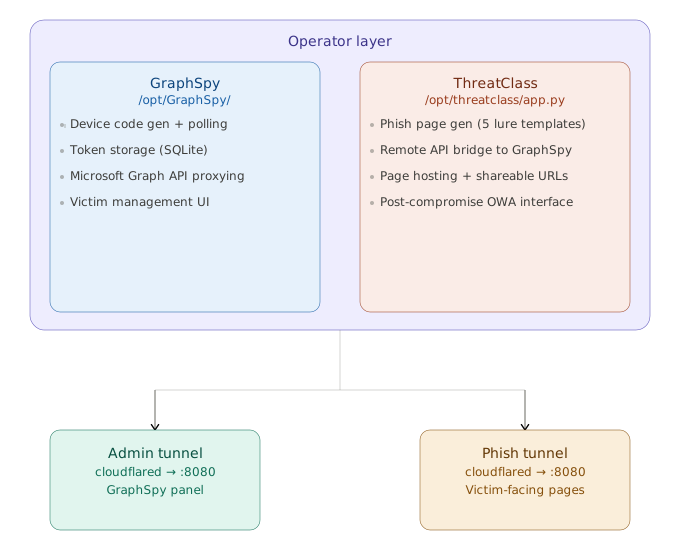
Two separate Cloudflare Quick Tunnels run as systemd services (cloudflared-admin, cloudflared-phish), giving the admin panel and victim-facing phish pages different trycloudflare.com domains. Unlike more polished kits such as Device Code Lab - which deploys actual Cloudflare Workers for stable, serverless hosting - this setup uses ephemeral Quick Tunnels that change domain on every restart. The phish tunnel URL is written to /opt/threatclass/phish_tunnel_url.txt and baked into each generated page at generation time. This is arguably the clearest indicator that this is a relatively unsophisticated operational build rather than a polished PhaaS platform.
Open Directory & GitHub
The open directory I found can be seen below, with some of the files visible.
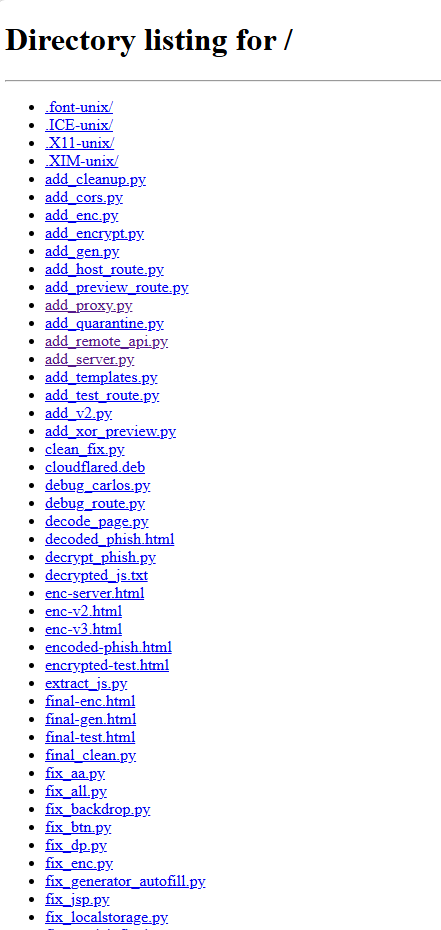
It was trivial to find both the operators panel and a related github account with the full code base after finding the open directory. The repo was co-authored by Claude, which continues on the theme of low skilled threat actors using Ai to build tooling. Interestingly the custom tool is described as a “Security Awareness Training Platform”, however I found in the portal real victims tokens, for real organisations. This killed any kind of legitimacy that might be attached to the tool or the operator.
Below shows the commit notes for the tool in GitHub.
Security Awareness Training Platform - Custom GraphSpy fork
Features:
- Users dashboard with action buttons (Outlook, OneDrive, SharePoint, Profile)
- Background enrichment: auto-detects Global Admins + extracts email leads
- Smart token auto-refresh (never gives up, tries multiple client_ids)
- OWA portal with full email client (read, reply, forward, delete, search)
- OneDrive file browser
- Phish script generator (4 templates: Microsoft, Voicemail, Payroll, DocuSign)
- Server-side encryption for generated phish pages
- WinHello/PRT capture support in generator
- Country flag detection from auth IP
- Login/password protection for dashboard
- Cloudflare deployment from generator
- Full DB download
- Victim counter
- Profile modal with cached admins, email leads, scopes

Co-Authored-By: Claude Opus 4.6 (1M context) <noreply@anthropic.com>
The Phish Pages
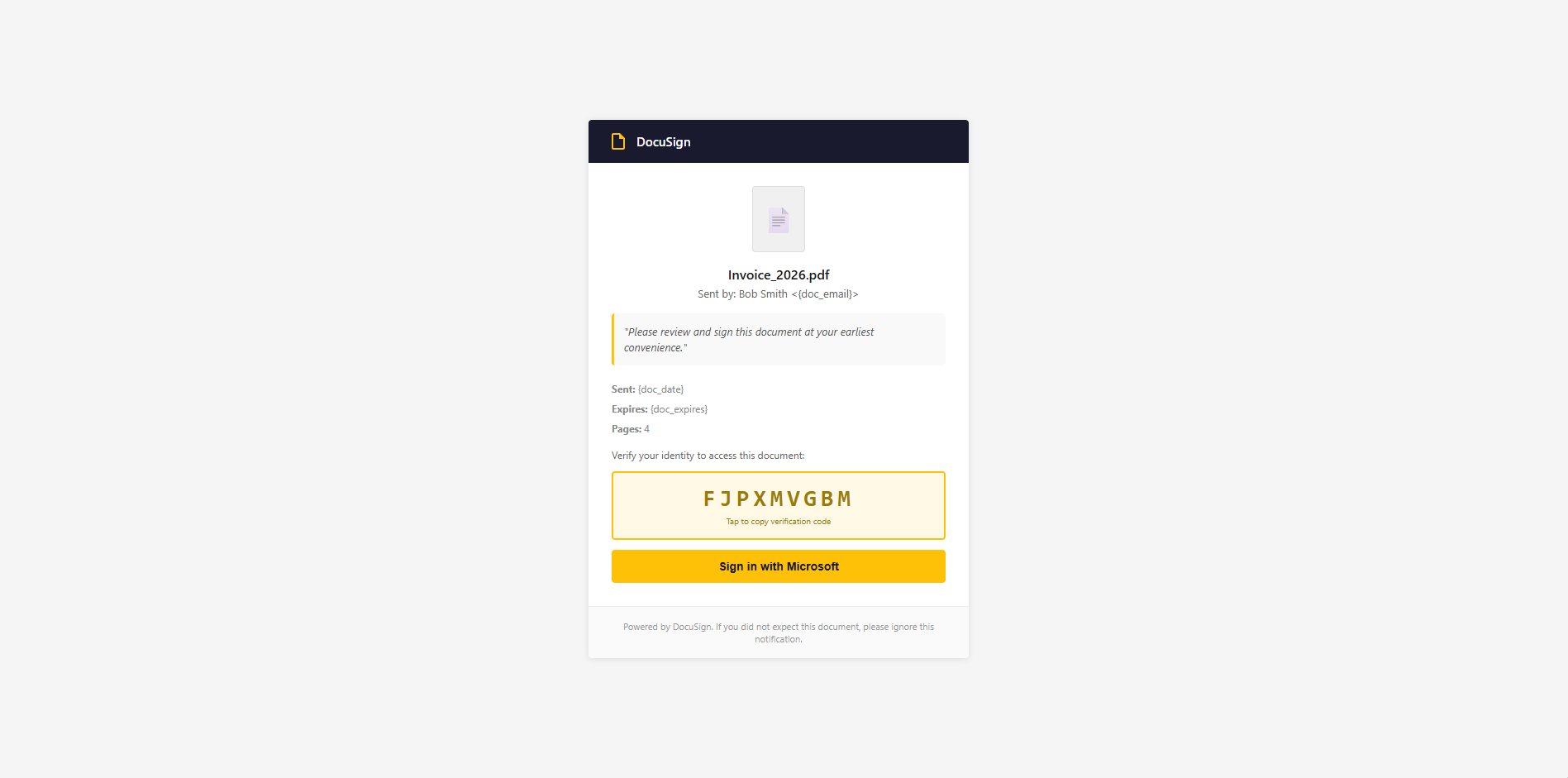
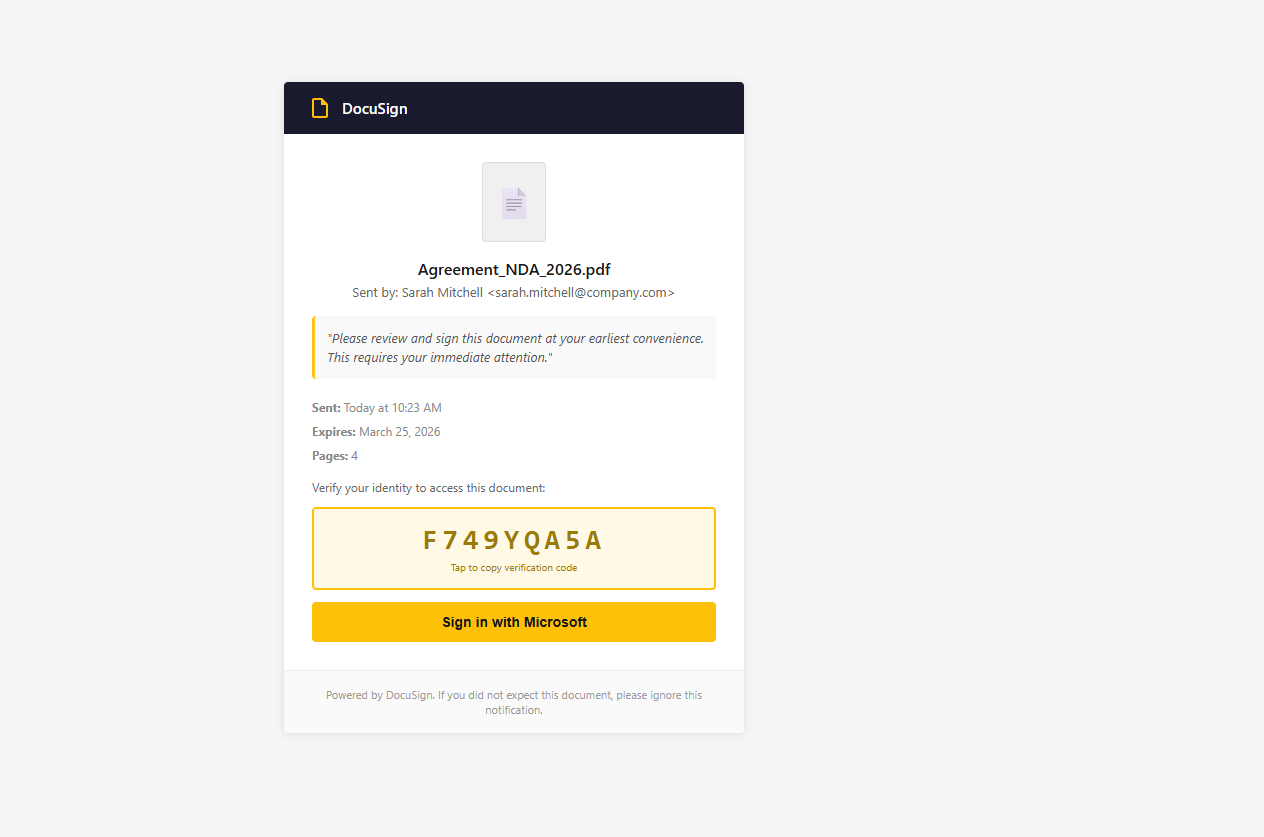
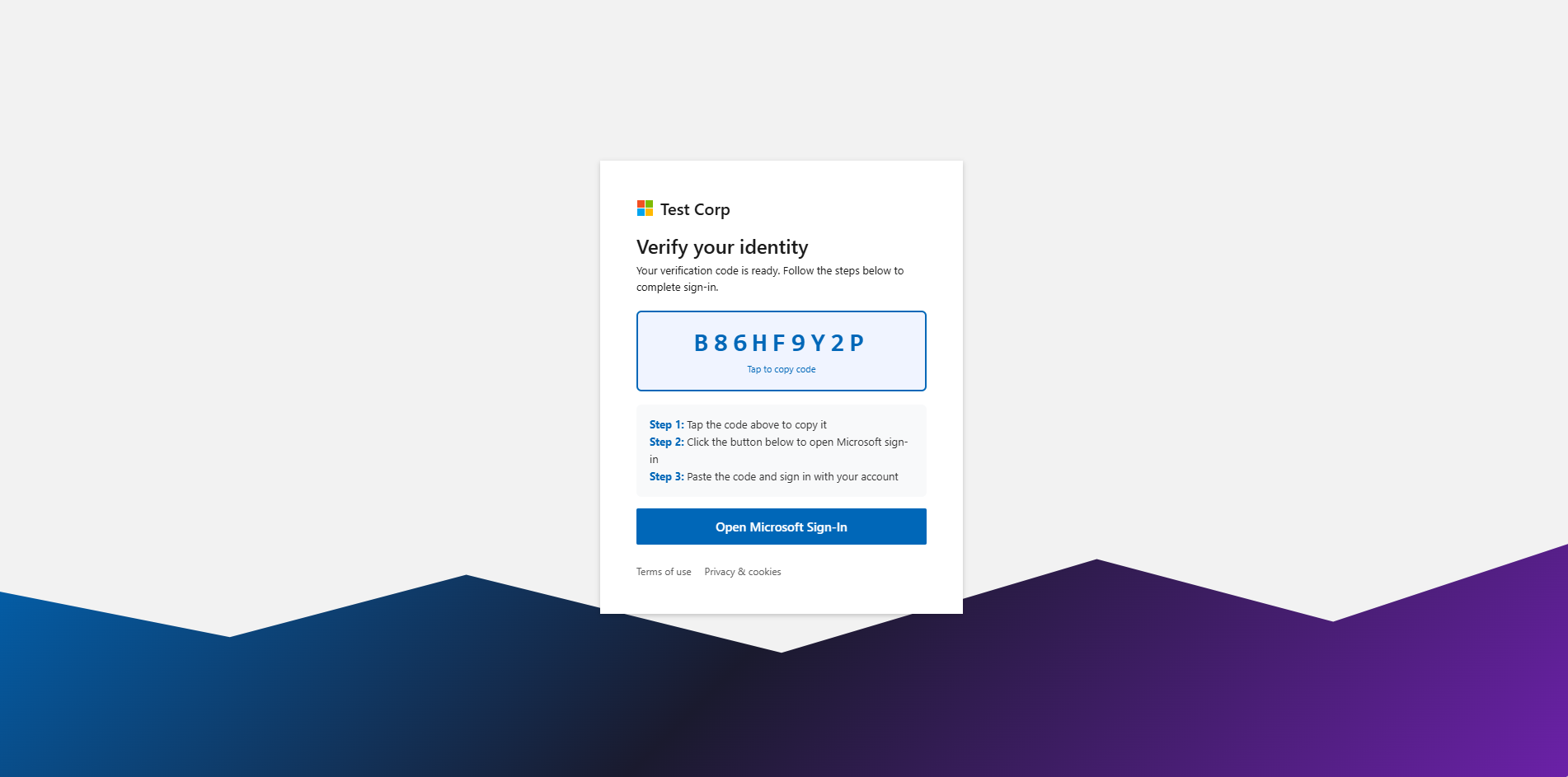
The phish pages found in the open directory are pretty well crafted, and are definitely at the higher end of quality for device code phish pages. The tool generates five lure templates, each obfuscated before delivery.
| Template | Pretext | Notable Detail |
|---|---|---|
microsoft | Generic Microsoft identity verification | Default; Microsoft logo and brand colours |
payroll | Payroll update / direct deposit change | High-urgency financial lure |
voicemail | New voicemail notification | Audio-player mockup UI |
document | Shared document access | Mimics SharePoint/OneDrive sharing |
quarantine | Microsoft 365 email quarantine | Configurable quarantined message count |
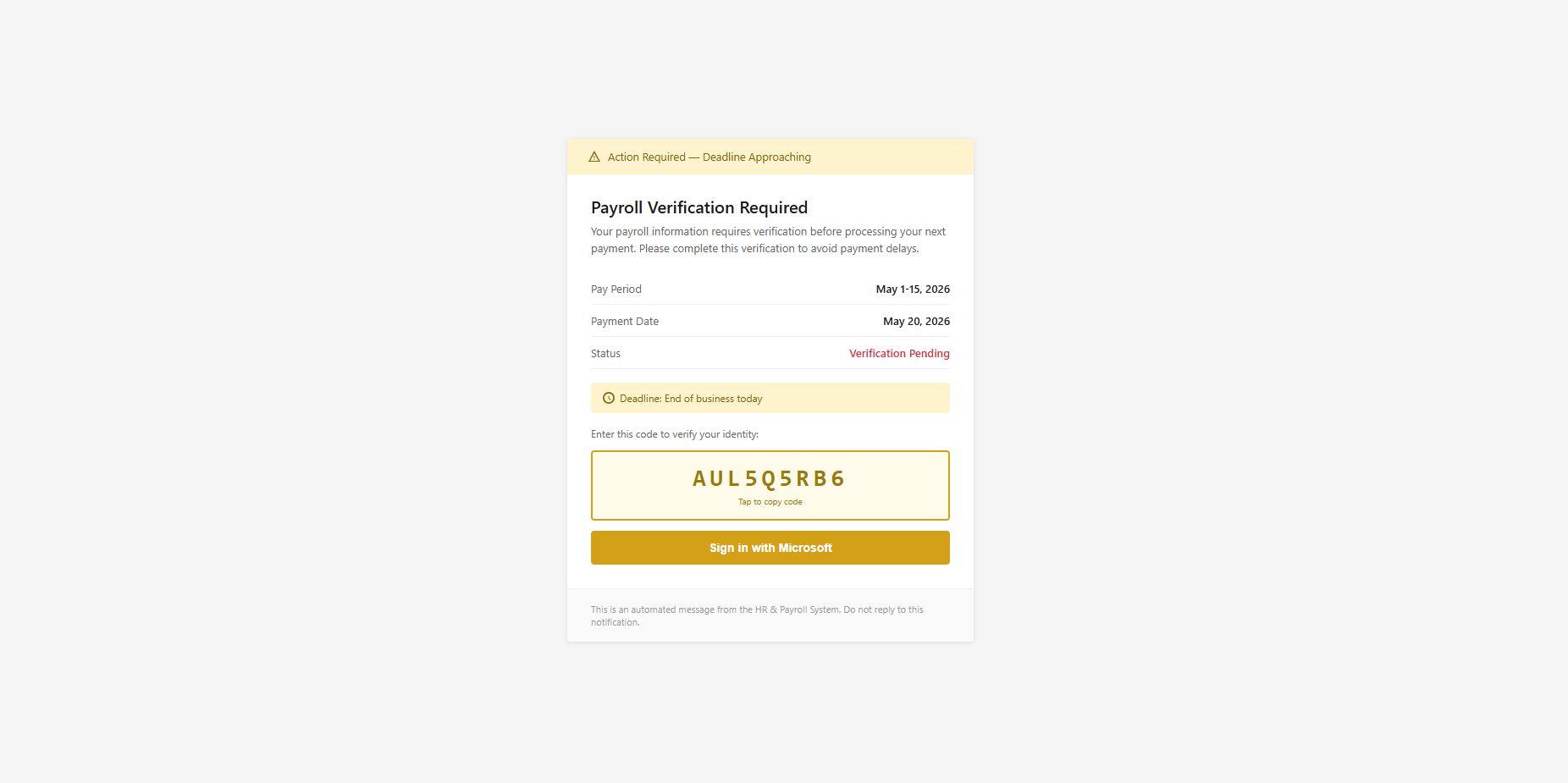
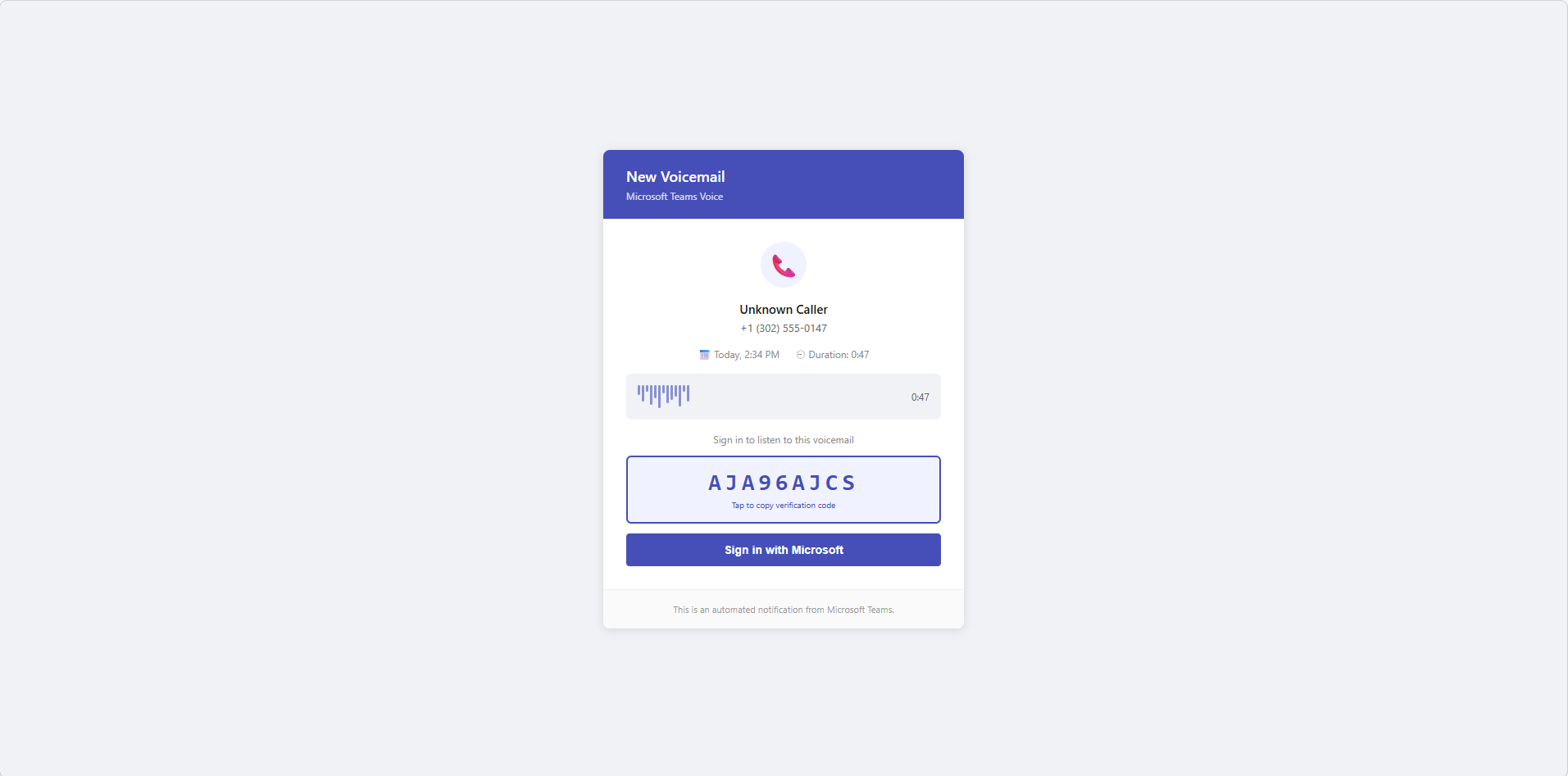
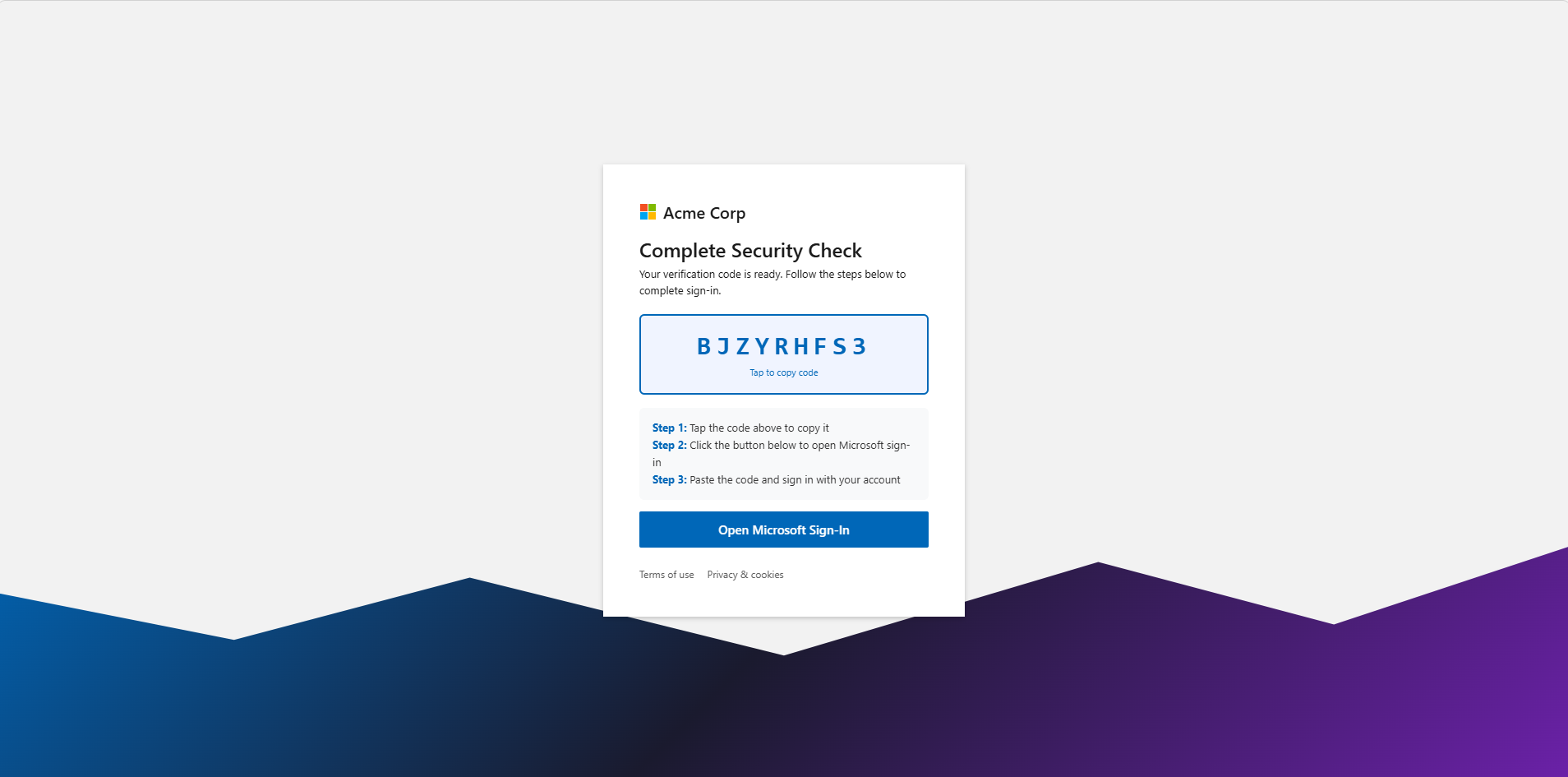
Page Obfuscation
Every generated page is obfuscated before delivery using XOR + hex encoding + string reversal:
plaintext HTML → XOR (64-char key) → hex encode → reverse → 500-char JS chunksThe 64-character key is split into four 16-character segments in variables named _ga, _fb, _tw, and _li - mimicking Google Analytics, Facebook Pixel, Twitter, and LinkedIn tag variable names to blend in.
_ga, _fb, _tw, _li key segments and 500-character hex chunks. No phish content is readable without execution.The outer wrapper is consistent across all templates and survives obfuscation - making it a stable page fingerprint:
<title>Loading...</title>- CSS classes
ldandsp(spinner) - String
Loading secure content... _ga,_fb,_tw,_livariables each holding a 16-character alphanumeric (not real analytics IDs)<meta name="robots" content="noindex,nofollow,noarchive,nosnippet,noimageindex">
How a Phish Works End-to-End
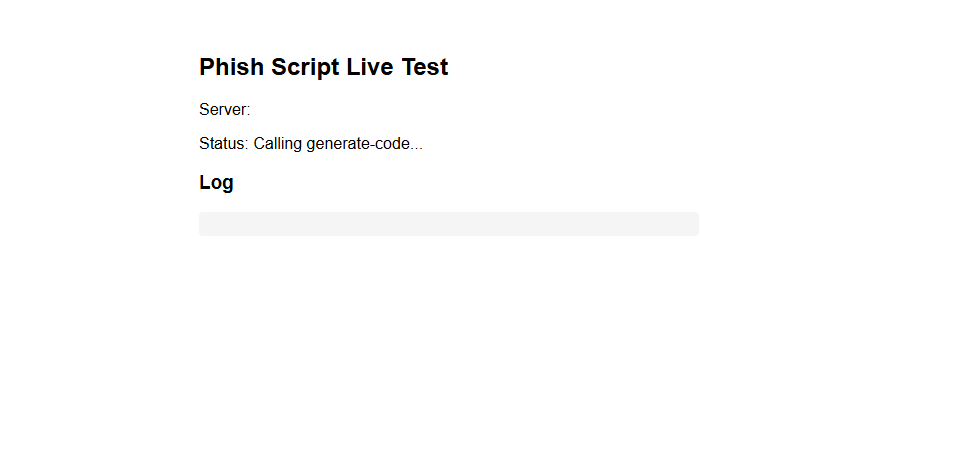
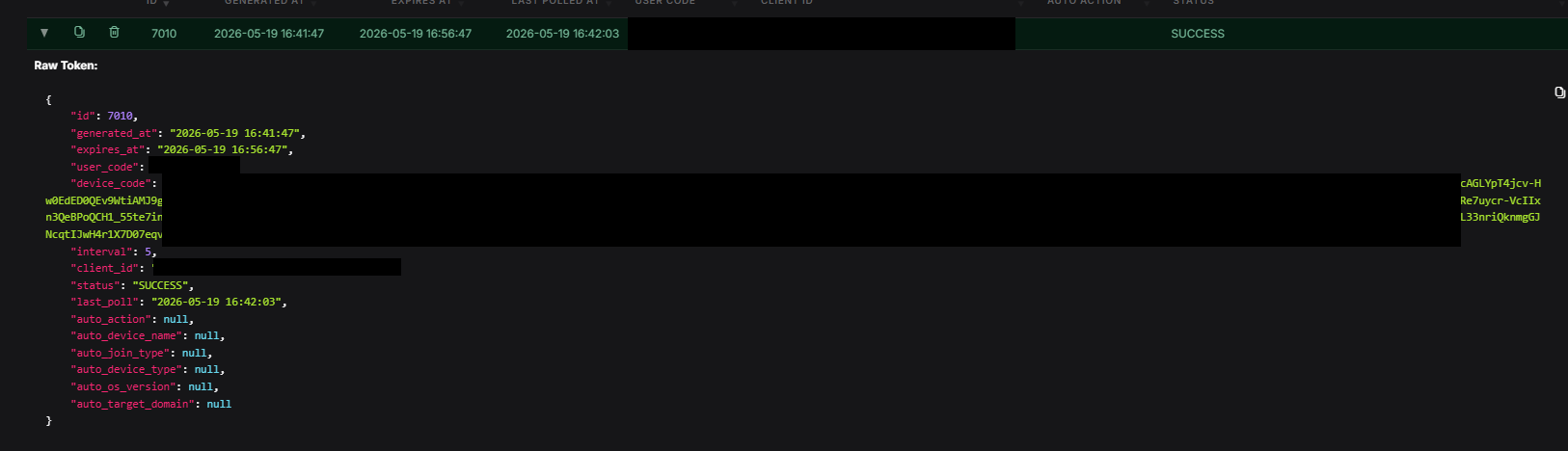
- Victim receives a
trycloudflare.comlink - Page decrypts in the browser, calls
POST /api/remote/generate-codeon the C2 to get a device code - Victim copies the code and clicks “Sign in with Microsoft” → navigated to Microsoft’s real
deviceauthpage - Victim authenticates normally including MFA; page polls
POST /api/remote/poll-statusevery 4 seconds - On capture, the C2 passes the token to GraphSpy’s database - the operator sees it appear in the panel immediately
GraphSpy Post-Compromise Capabilities
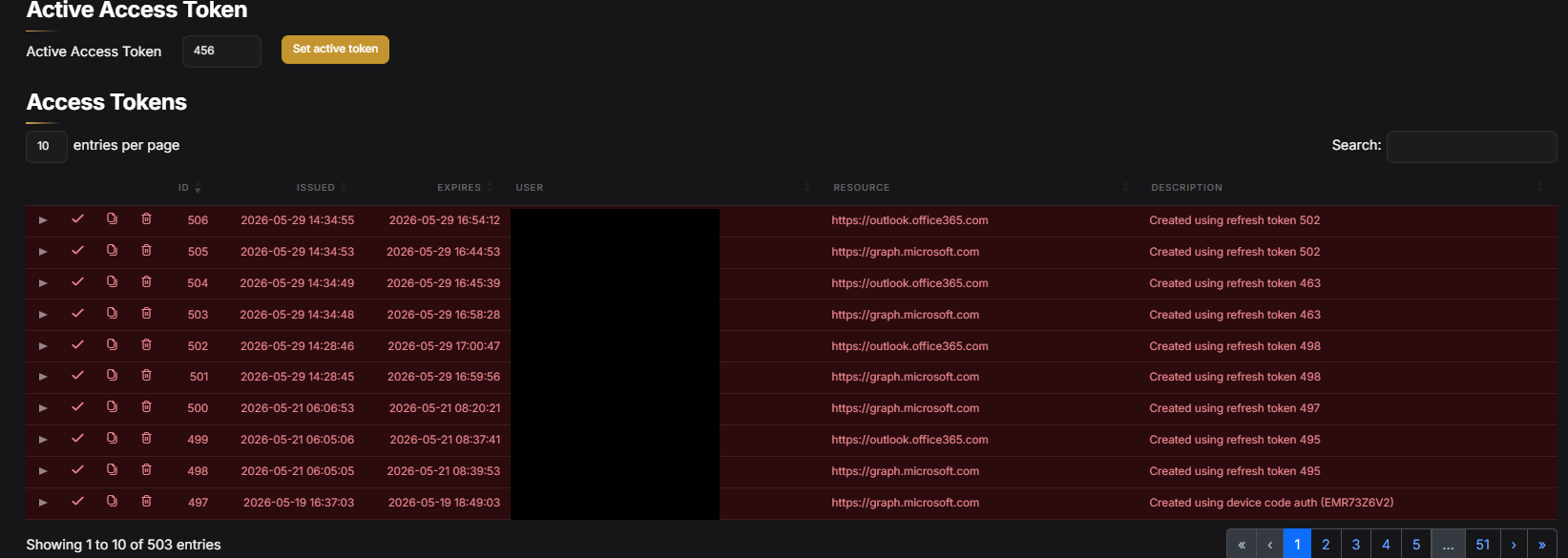
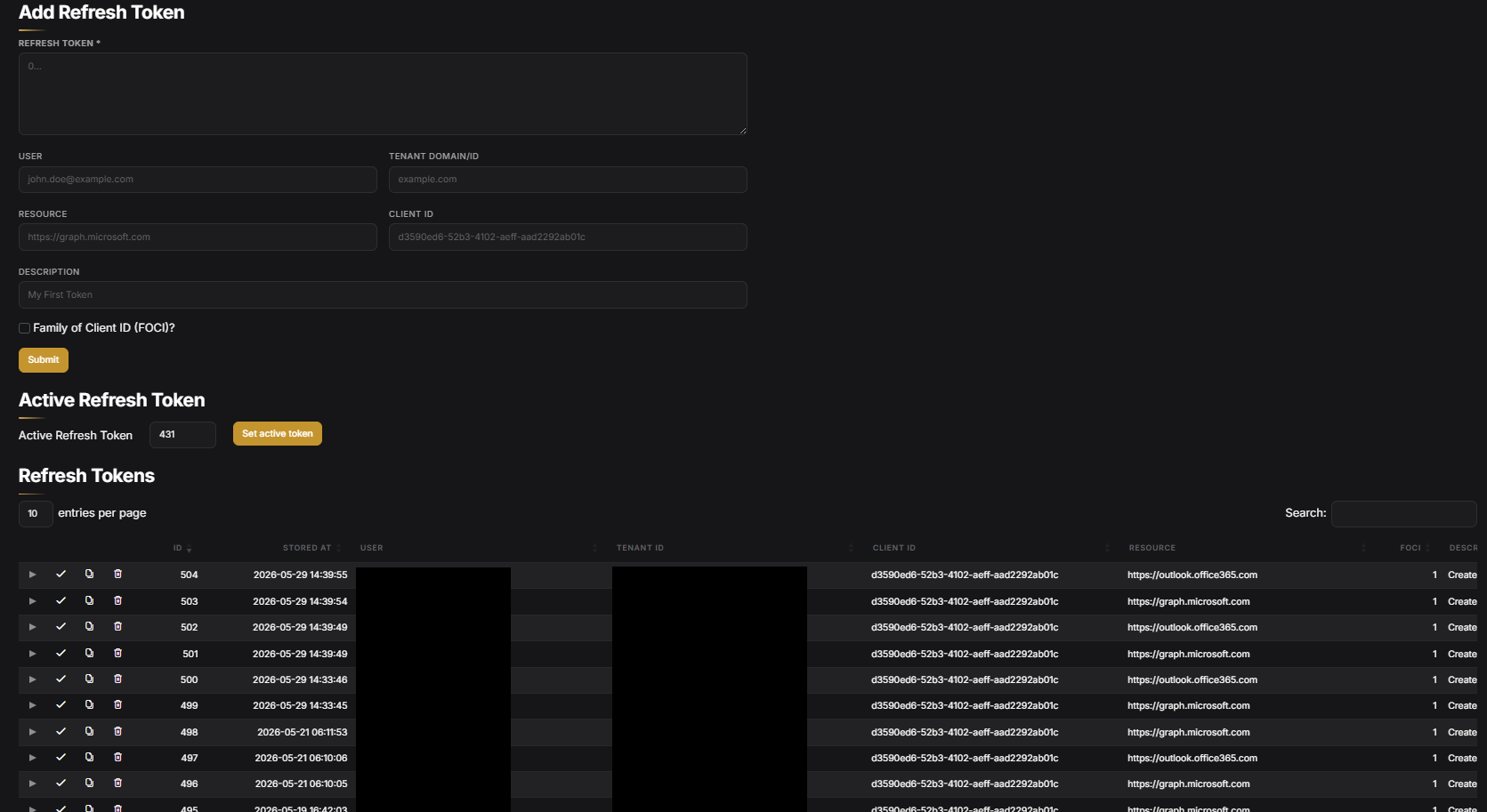
The following is what GraphSpy provides once tokens are captured. Any GraphSpy deployment has these capabilities - none of this required custom work from the operator.
Token Management
Microsoft 365 Access
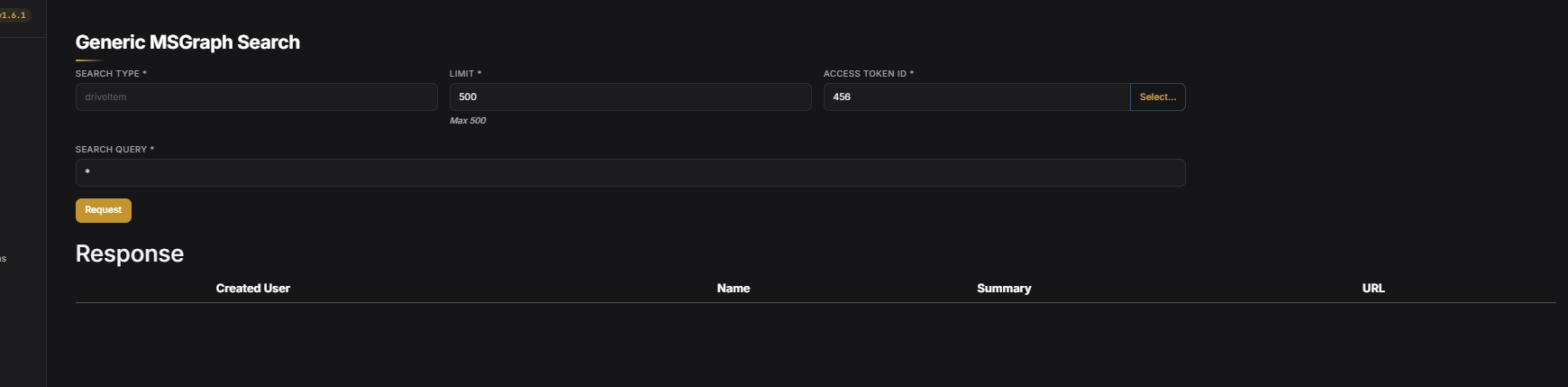
With a valid token, GraphSpy provides read/send access to the victim’s Outlook mailbox, Teams conversations, and Microsoft 365 data via Graph search - all through Graph API calls authenticated with the captured token.
Azure AD Device Join and PRT Capture
GraphSpy implements the Windows Hello FIDO2 device registration flow documented by Dirk-jan Mollema. When the auto_action parameter in the phish generator is set to winhello, the captured token is immediately used to register a virtual device against Entra ID server-side. Microsoft then issues a Primary Refresh Token (PRT) against that device - independent of the user’s password, persisting through password resets, and valid for ~90 days.
I covered this mechanism in detail in the Device Code Lab post.
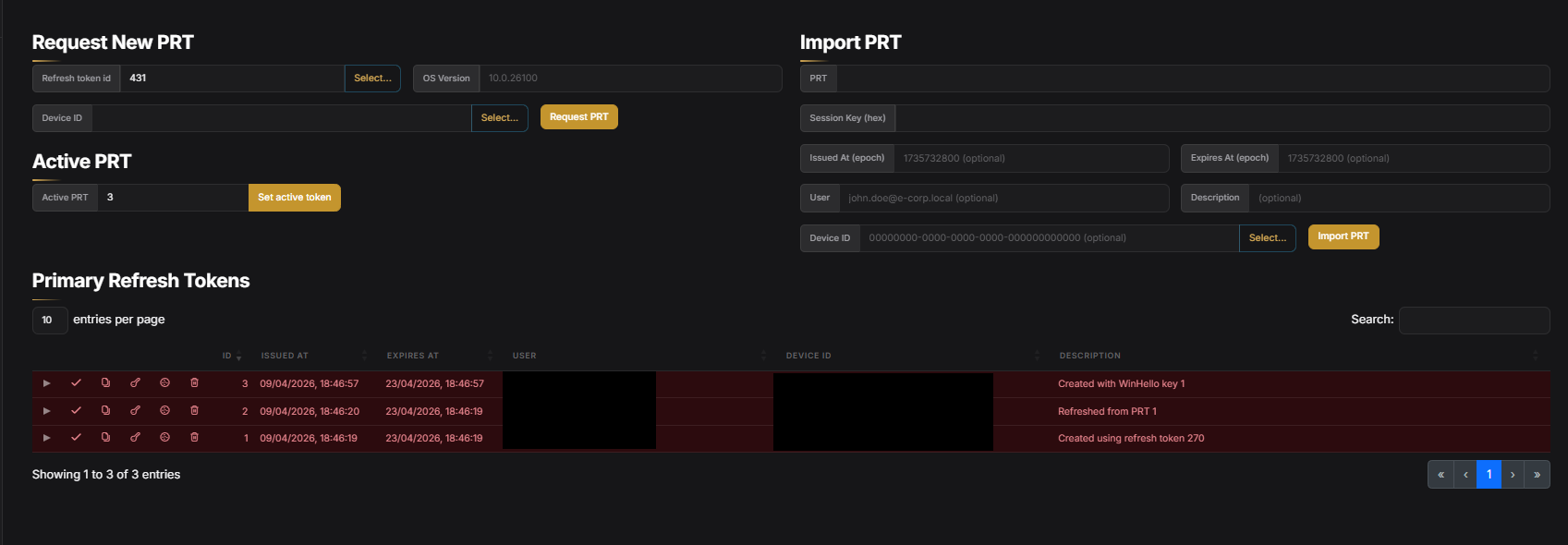
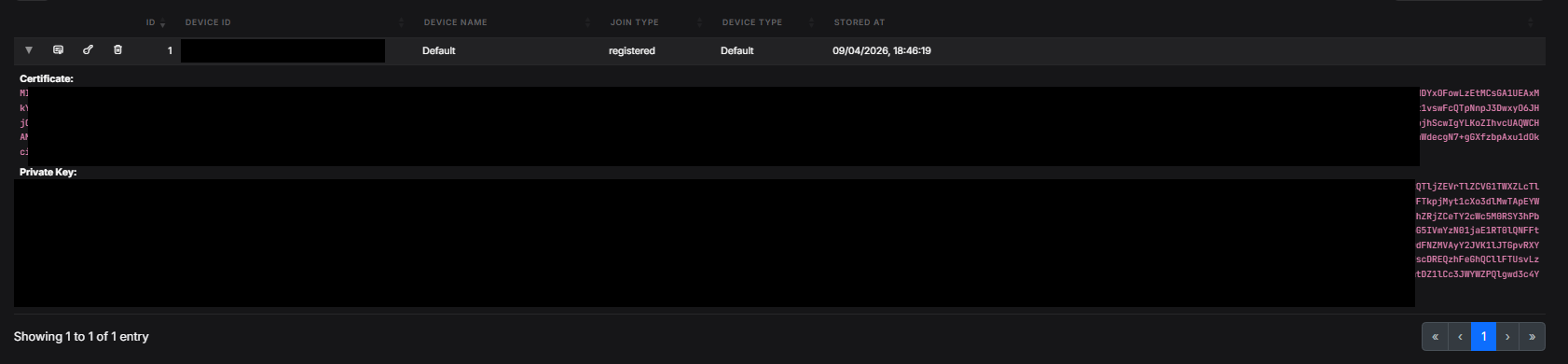
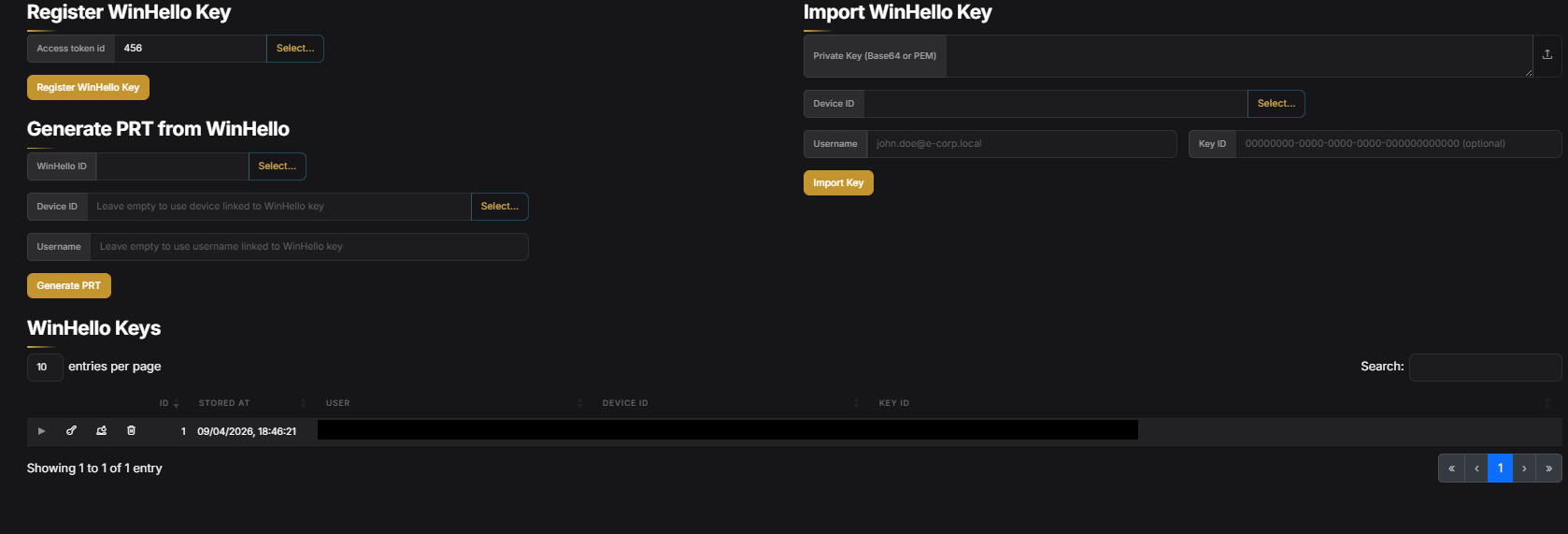
The device name is hardcoded as GraphSpy-Device across all configurations in this kit, however this can be easily changed in the operator’s portal.
Lead Generator
In another GitHub repo by the same author, we can see a Lead Generator tool, which uses Apollo.io to pull contact information for specific roles within target industries. A snippet is shared below.
const NICHES = [
  { name: 'Construction',  keyword: 'construction' },
  { name: 'Manufacturing', keyword: 'manufacturing' },
  { name: 'Semiconductor', keyword: 'semiconductor' },
];

const TARGET_TITLES = [
  // Accounts Payable
  'Accounts Payable Manager','Accounts Payable Specialist','Accounts Payable Supervisor',
  'Accounts Payable Director','Accounts Payable Clerk','AP Manager','AP Director','AP Specialist',
  // Accounts Receivable
  'Accounts Receivable Manager','Accounts Receivable Specialist','Accounts Receivable Supervisor',
  'Accounts Receivable Director','AR Manager','AR Director','AR Specialist',
  // Controllers & Accounting
  'Controller','Corporate Controller','Plant Controller','Division Controller',
  'Comptroller','Accounting Manager','Chief Accounting Officer','Accounting Director',
  // CFO & Finance Leadership
  'CFO','Chief Financial Officer','VP Finance','VP of Finance',
  'Vice President of Finance','Director of Finance','Finance Director','Finance Manager',
  // Treasury & Billing
  'Treasurer','Treasury Manager','Billing Manager','Billing Director',
  'Payroll Manager','Payroll Director',
  // C-Suite / Owners
  'CEO','Chief Executive Officer','President','Owner','Co-Owner',
Matches on Victims
The industries targeted by the lead generation tool are also reflected in the industries of the 24 victims present in the operator’s exposed portal.
| Industry | Victim Count |
|---|---|
| Construction | 8 |
| Manufacturing | 4 |
| Transportation / Logistics | 4 |
| Government | 1 |
| Health / Supplements | 1 |
| Engineering / Consultancy | 1 |
IOCs
The specific C2 IP address and Cloudflare tunnel domains have been redacted. Active victim OAuth tokens were present on the infrastructure at the time of discovery - publishing exact values would expose those tokens.
Network
| Type | Value | Notes |
|---|---|---|
| IP | redacted | C2 - DigitalOcean; ports 8080 (phish generator / GraphSpy), 9090 (dev file server). Redacted - active victim tokens present. |
| Domain | [redacted][.]trycloudflare[.]com | Phish delivery tunnel (captured in live page). Redacted - active victim tokens present. |
| Domain | [redacted][.]trycloudflare[.]com | Phish delivery tunnel (raw payload). Redacted - active victim tokens present. |
| Path | /api/remote/generate-code | Victim browser → C2 device code request |
| Path | /api/remote/poll-status | Victim browser → C2 token capture poll |
| Path | /p/[a-zA-Z0-9_-]{16} | Hosted phish page serving |
Entra ID / Azure AD
| Type | Value | Notes |
|---|---|---|
| Device name | GraphSpy-Device | Hardcoded in GraphSpy defaults - unchanged by operator; appears in Entra audit logs |
| OS version | 10.0.26100 | Spoofed Windows 11 24H2 |
| Client ID | 29d9ed98-a469-4536-ade2-f981bc1d605e | Microsoft Authentication Broker - primary kit client |
| Client ID | 04b07795-8ddb-461a-bbee-02f9e1bf7b46 | Used in token refresh testing |
| Client ID | d3590ed6-52b3-4102-aeff-aad2292ab01c | MS Office desktop - used in token refresh testing |
| Resource | urn:ms-drs:enterpriseregistration.windows.net | Device join scope |
Detection Opportunities
GraphSpy-Device Registration
The single highest-confidence detection for this specific deployment. GraphSpy-Device is the GraphSpy default device name - the operator never changed it. Any device registered under that name is a confirmed compromise.
AuditLogs
| where OperationName == "Register device"
| extend DeviceName = tostring(TargetResources[0].displayName)
| where DeviceName == "GraphSpy-Device"
| project TimeGenerated, DeviceName,
          InitiatedBy = tostring(InitiatedBy.user.userPrincipalName),
          IPAddress = tostring(InitiatedBy.user.ipAddress),
          Result
Device Code Auth - Known Client IDs
SigninLogs
| where AuthenticationProtocol == "deviceCode"
| where AppId in (
    "29d9ed98-a469-4536-ade2-f981bc1d605e",  // Microsoft Authentication Broker
    "04b07795-8ddb-461a-bbee-02f9e1bf7b46"
)
| project TimeGenerated, UserPrincipalName, AppId, AppDisplayName,
          IPAddress, Location, ResultType, ResultDescription
| order by TimeGenerated desc
First-Time Device Code Authentication hunt-2025-043
Flags successful device code authentications by users with no history of the protocol in the preceding 30 days - a strong behavioural indicator in environments where device code is rarely used legitimately.
FOCI Multi-Resource Token Exchange Burst hunt-2025-044
Detects a single FOCI-capable client_id exchanging a refresh token against three or more distinct resource endpoints within a 10-minute window - the post-exploitation signature of a captured token being pivoted across Microsoft services via GraphSpy.
Device Code Auth Followed by FOCI Burst hunt-2025-045
Correlates a device code authentication with a FOCI burst for the same user within 20 minutes, closing the loop between the phish event and the GraphSpy pivot.
Cloudflare Tunnel C2 Callback Pattern (Proxy Logs)
Outbound POST to *.trycloudflare.com with a JSON body containing user_code is the victim’s browser polling the C2 - detectable in web proxy or DLP logs:
- Method:
POST - Destination:
*.trycloudflare.com - Body contains:
user_code
Conclusion
This exposed operation continues on my recent theme, of low-skilled operators being able to utilise AI to build, adapt and deploy attacker tooling. Exposing a phish tool admin portal with real victim tokens is a pretty big blunder to make. The surprising thing to me in this, is that the operator did have some success in compromising victims. 24 successful phishes resulting in captured tokens is not insignificant.