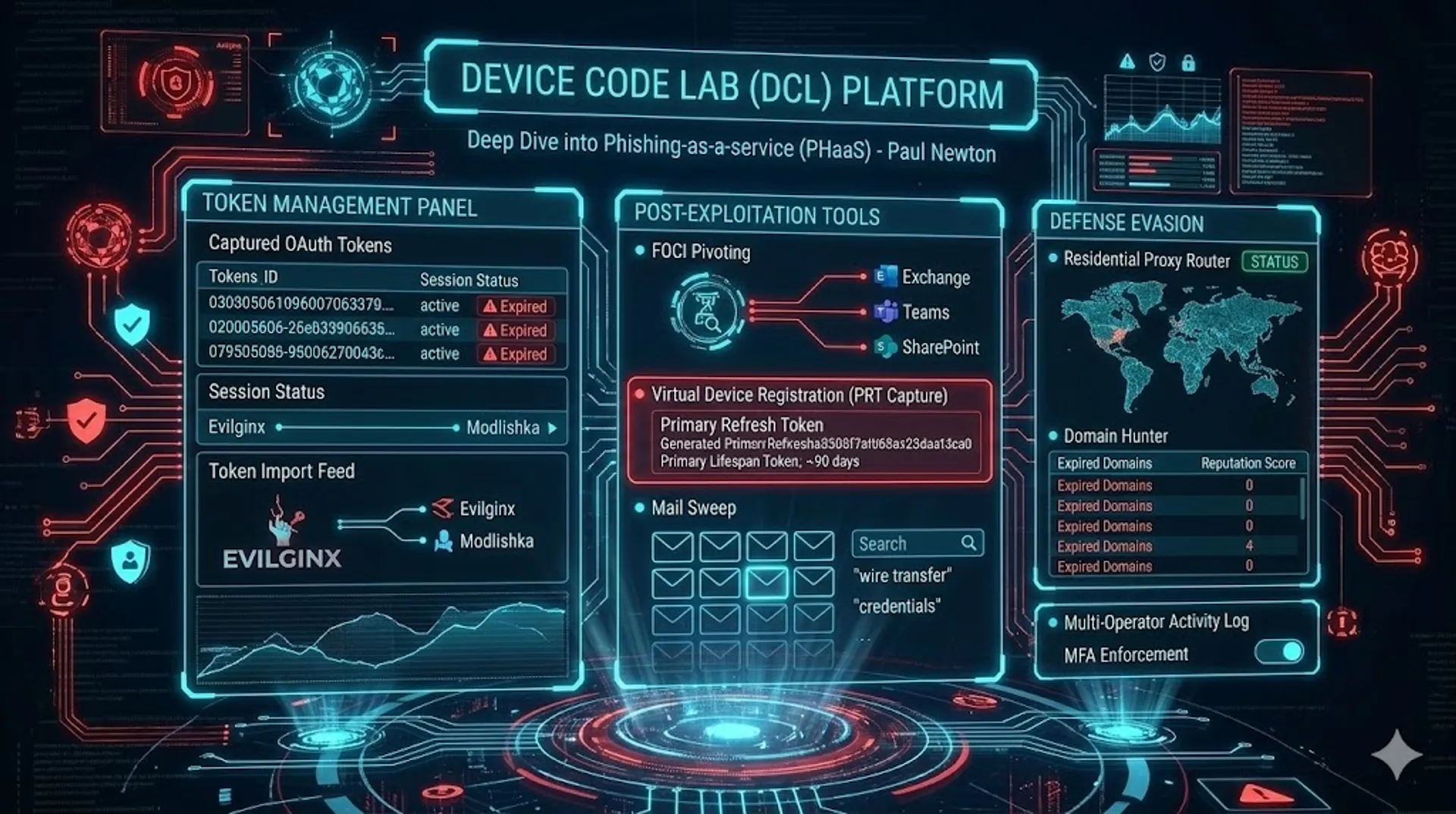
Device Code Lab - Infrastructure Expansion & New Capability Analysis
Continued tracking of Device Code Lab (DCL) PhaaS infrastructure reveals expansion. Unauthenticated access to multiple exposed tool modules reveals an inbox listener, email extractor, SMTP lure sender, and an SVG attachment generator with MDE bypass capability.
Intro
Since my original DCL deep-dive published on May 28, continued infrastructure hunting has revealed expansion of the Device Code Lab operator estate. In addition to this, some probing into exposed portals led to finding some unauthenticated rendered UI components, albeit without any authenticated data displayed.
Infrastructure Update
New Hosts
All hosts below were identified via infrastructure hunting. They are in addition to the original seven IPs and five domains published in the May 28 post.
New IP Addresses
| IP | ASN | Location | Notes |
|---|---|---|---|
107.172.151.3 | AS36352 (HostPapa) | Dhaka, BD | No domain resolved |
23.94.232.236 | AS36352 (HostPapa) | London, GB | miami-techinc[.]com |
23.94.232.218 | AS36352 (HostPapa) | London, GB | petsawise[.]com |
192.3.225.103 | AS36352 (HostPapa) | Buffalo, US | |
165.245.167.52 | AS14061 (DigitalOcean) | Broomfield, US | Dashboard panel (not Console) |
3.231.33.242 | AS14618 (Amazon) | Ashburn, US | SSH + MSSQL port 1433 open |
New Domains
| Domain | Notes |
|---|---|
secure.bdwebhub[.]com | secure. subdomain, likely compromised host; TLS cert from miami-techinc[.]com |
secure.einco[.]com[.]br | Brazilian business, compromised host; TLS cert from miami-techinc[.]com |
secure.technebula[.]site | TLS cert mismatch: presents miami-techinc[.]com cert |
kraftmansplay[.]com | Linked to browsegadgetzone.sa[.]com via shared TLS cert |
seasfax[.]com | TLS cert from miami-techinc[.]com |
browsegadgetzone.sa[.]com | Middle Eastern subdomain; TLS cert from kraftmansplay[.]com |
www.brokerslatinos[.]com | Finance-themed; TLS cert from miami-techinc[.]com |
011pump[.]fun | Crypto-themed |
docspacepro[.]com | Document-themed lure domain |
www.docspacepro[.]com | |
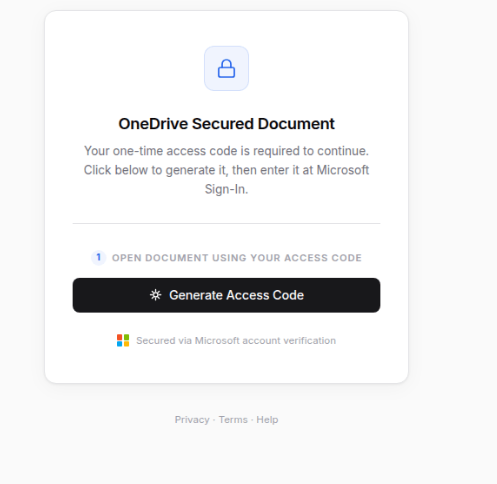
bluebellscare[.]com | Front-end OneDrive phishing lure page |
mail.babalfashion[.]com | Additional subdomain on known DCL domain |
TLS Certificate Cross-Links
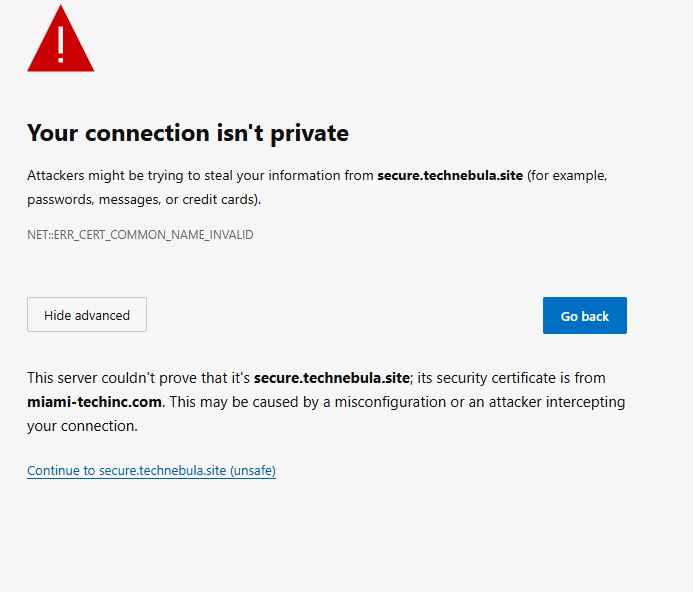
TLS certificate mismatches across multiple hosts provide hard infrastructure links between domains. Visiting each of the following produces a browser certificate error naming the cert owner:
| Domain | TLS Cert Presented |
|---|---|
secure.technebula[.]site | miami-techinc[.]com |
secure.bdwebhub[.]com | miami-techinc[.]com |
secure.einco[.]com[.]br | miami-techinc[.]com |
seasfax[.]com | miami-techinc[.]com |
www.brokerslatinos[.]com | miami-techinc[.]com |
browsegadgetzone.sa[.]com | kraftmansplay[.]com |
Five domains present the miami-techinc[.]com certificate, confirming they are deployed on the same operator-controlled nginx vhost. The browsegadgetzone.sa[.]com / kraftmansplay[.]com pairing is a second certificate cluster, linking those two domains to the same deployment.
secure.* Subdomain Pattern
Three domains follow a secure. subdomain pattern (secure.bdwebhub[.]com, secure.einco[.]com[.]br, secure.technebula[.]site) deployed on infrastructure inconsistent with the apex domains’ normal hosting. Each base domain either fails to load, displays a critical error or has a domain holding page. This suggests a compromise/domain takeover and a deliberate reputation enhancement technique exploiting the age and trust of existing domains.
Consolidated IOC List
A full, continuously updated IOC list for this campaign is maintained on the DCL tracked campaign page. New IOCs will be added there as the infrastructure continues to be monitored.
IP Addresses
| IP | ASN | Notes |
|---|---|---|
107.172.151[.]3 | AS36352 (HostPapa) | |
67.215.253[.]44 | AS36352 (HostPapa) | |
23.94.232[.]218 | AS36352 (HostPapa) | |
23.94.232[.]236 | AS36352 (HostPapa) | |
192.3.225[.]100 | AS36352 (HostPapa) | |
192.3.225[.]103 | AS36352 (HostPapa) | |
172.81.130[.]130 | AS398101 (DataWagon) | |
104.219.239[.]125 | AS398101 (DataWagon) | |
165.245.167[.]52 | AS14061 (DigitalOcean) | |
104.21.78[.]8 | Cloudflare | |
172.67.214[.]105 | Cloudflare | |
172.67.211[.]222 | Cloudflare | |
104.21.85[.]226 | Cloudflare |
Domains
| Domain | Notes |
|---|---|
api.controltkeusa[.]com | Original - May 28 post |
api.babalfashion[.]com | Original - May 28 post |
api.skysharegroup[.]com | Original - active campaign backend |
babalfashion[.]com | Original - May 28 post |
skysharegroup[.]com | Original - May 28 post |
skysharesgroup[.]org | New |
miami-techinc[.]com | New |
www.miami-techinc[.]com | New |
petsawise[.]com | New |
www.petsawise[.]com | New |
brokerslatinos[.]com | New - finance-themed |
www.brokerslatinos[.]com | New - TLS cert from miami-techinc |
docseef[.]com | New - lure page identified; console no longer active |
docspacepro[.]com | New |
www.docspacepro[.]com | New |
bluebellscare[.]com | New - front-end OneDrive phishing lure page |
bluecollaracademy[.]us | New - front-end phishing lure page |
guiadahospedagem[.]com[.]br | New - front-end phishing lure page |
tgcwuzcq4q.vibrazil[.]com | New - front-end phishing lure page; random subdomain on compromised host |
011pump[.]fun | New - crypto-themed |
kraftmansplay[.]com | New - TLS cert cluster with browsegadgetzone |
seasfax[.]com | New - TLS cert from miami-techinc |
browsegadgetzone.sa[.]com | New - TLS cert from kraftmansplay |
secure.bdwebhub[.]com | New - TLS cert from miami-techinc |
secure.einco[.]com[.]br | New - TLS cert from miami-techinc |
secure.technebula[.]site | New - TLS cert from miami-techinc |
mail.babalfashion[.]com | New - additional subdomain |
New Finding: Exposed Mailbox Exfiltration UI
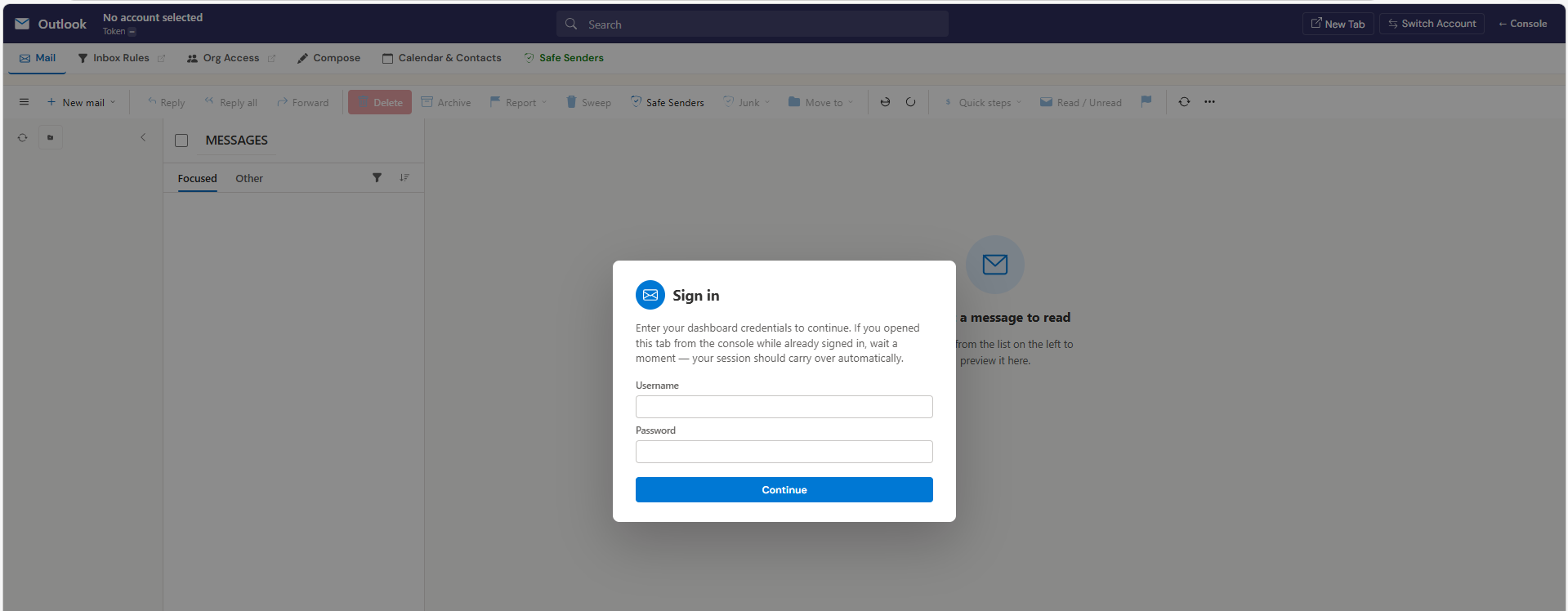
The path /ui/mailbox.html is publicly accessible on DCL infrastructure, including at babalfashion[.]com/ui/mailbox.html. This is the DCL Mailbox module, a interpretation of the Outlook Web App, that operators use to browse, search, read, compose, and exfiltrate email from captured victim tokens. It is similar to the O365 mailbox UI I covered in a previous post for evilginx.
Capability Summary from Source Analysis
The page source reveals the full capability set of the mailbox post-exploitation module. This, like the rest of the tool, is a well designed UI, with features that include:
Token Management Integration
The UI maintains a token picker (/api/tokens) allowing operators to switch between any captured victim account. The URL scheme ?token=N&delegate=USER_ID exposes the underlying data model: captured tokens are indexed by integer ID, with delegate access allowing one token to browse another user’s mailbox if Exchange permissions have been granted.
Mail Operations
- Full folder tree enumeration and navigation
- Infinite-scroll message list with server-side search (
/api/tokens/{id}/message-search) - Compose with HTML body, attachments up to 4 MiB, CC/BCC/Reply-To control
- Reply, Reply All, Forward with Outlook-style quoted body injection
- Move to folder, archive, delete, bulk operations via
$batch(up to 20 messages per call) - Sweep function: delete all messages from a given sender in a folder in one operation
Inbox Rule Management
A full rule editor (/ui/mailbox.html → “Inbox Rules” tab) supporting create, edit and delete of Exchange Online inbox rules via Graph messageRules. In delegate mode the UI enforces read-only behaviour, noting that Graph blocks rule write operations on delegated mailboxes via user tokens. The rules UI supports all standard condition types (sender, subject, body, importance, has attachment, sent to me/CC me) and action types (move, copy, forward, redirect, mark read, delete, stop processing). This is a complete forwarding rule deployment interface.
Org Access Module
The “Org Access” tab - visible in the nav and confirmed functional - exposes:
- Azure AD role enumeration and display (Global Admin, Exchange Admin, Security Admin badges)
- Exchange connector listing and IP injection (
Add-MailboxPermissionvia/org/connectors/add-ip) - New connector creation (
New-InboundConnectorequivalent) with name, sender IPs, TLS options - Tenant-wide BCC transport rule creation - the form labels suggest “Compliance Archiving” as a recommended cover name
- Silent mailbox forwarding (
Set-Mailbox -ForwardingSmtpAddress) per-user - Mailbox folder permission grant (
Add-MailboxFolderPermission) - labeled as “less suspicious than FullAccess” - Message trace (
Get-MessageTrace) for mail flow visibility - Full user directory with group membership expansion
- Create User (Global Admin only) - provisions a new Entra ID user with license assignment
- Shared and delegated mailbox scanner across the tenant
Calendar & Contacts Module
- Calendar event enumeration, creation, and deletion
- Attendee invitation delivery - the body field placeholder explicitly suggests embedding phishing URLs:
<a href='https://attacker.com/payload'>Join link</a> - Contact export to CSV (address book exfiltration)
- OneDrive anonymous share link generation
Junk Email / Safe Senders
A junk email management modal allows operators to add victim addresses to safe senders or blocked senders lists and adjust the junk filter level - useful for ensuring subsequent phishing emails to compromised accounts are not filtered.
Auto-Reply Manipulation
PATCH /me/mailboxSettings is exposed through a form allowing operators to set or overwrite the victim’s OWA auto-reply message. The UI notes this is “useful to confirm identity or redirect inquiries.”
Signature Injection
PATCH /me/mailboxSettings.signature - overwrites the victim’s OWA email signature. Every subsequent email the victim sends carries the injected HTML.
Architectural Observation
The UI communicates with the DCL backend via /api/tokens/{id}/... endpoints, confirming the backend API architecture documented in the original post. The mbBase() function in the JS switches between direct token access and delegate access (/api/tokens/{id}/delegate/{userId}/...), meaning a single operator session can browse any mailbox in any tenant where Exchange permissions have been granted - not just the originally captured account.
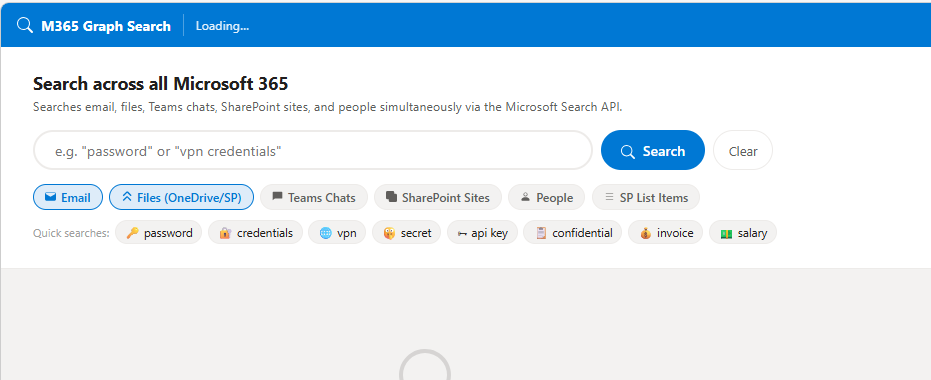
The below image shows a search UI utilising graph to search for keywords across multiple sources, email, teams, files, with quick searches provided.
Additional Exposed Tool Modules
Beyond the mailbox UI, probing DCL infrastructure returned several further tool modules accessible without authentication. The pages rendered UI chrome with no live data visible - no victim tokens or active session content was present - but the exposed interfaces confirm the breadth of DCL’s capability set beyond token theft and mailbox access. As well as a well thought out and designed UI, rich in features.
Inbox Listener
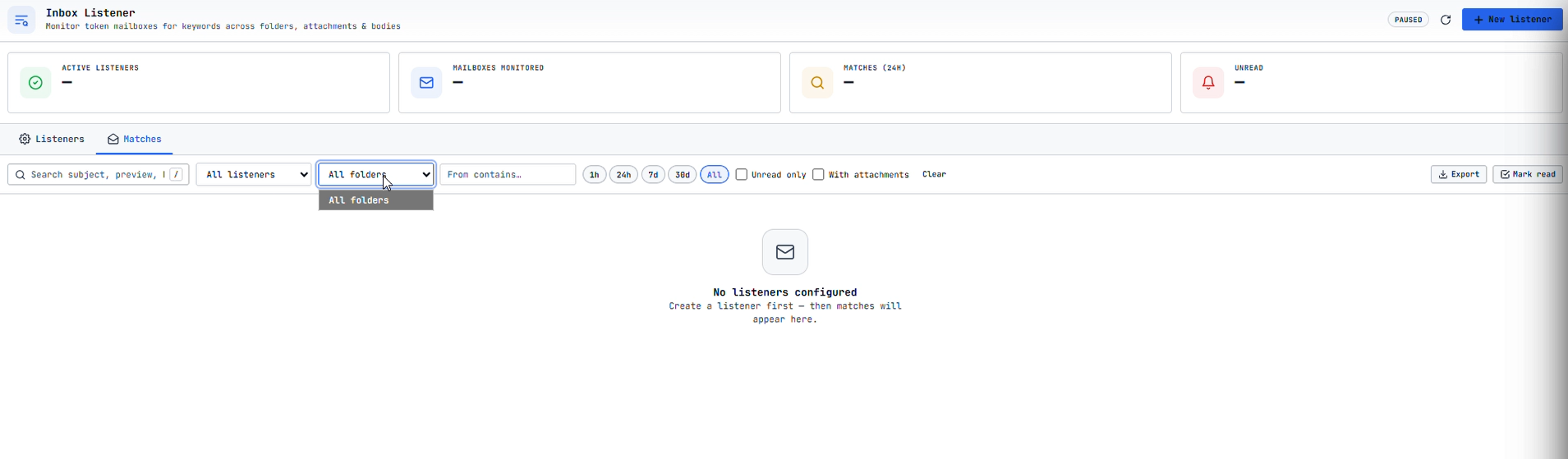
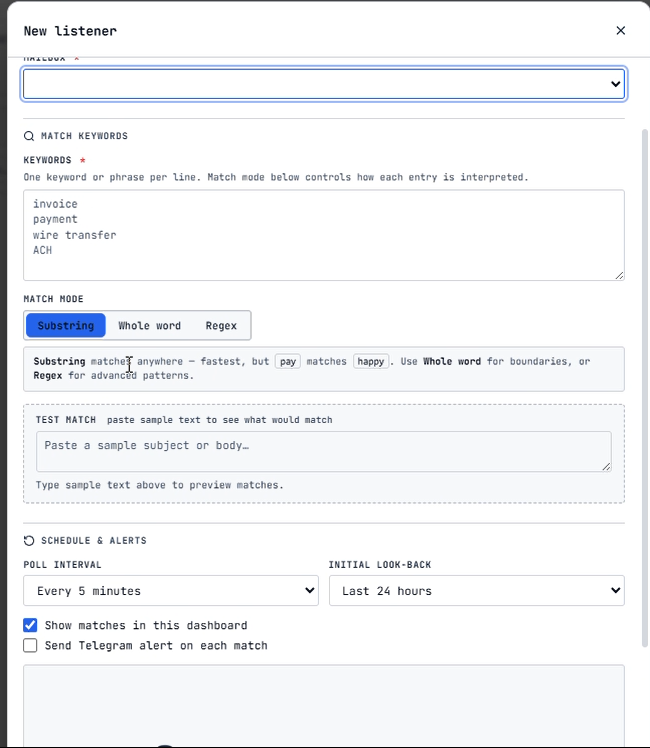
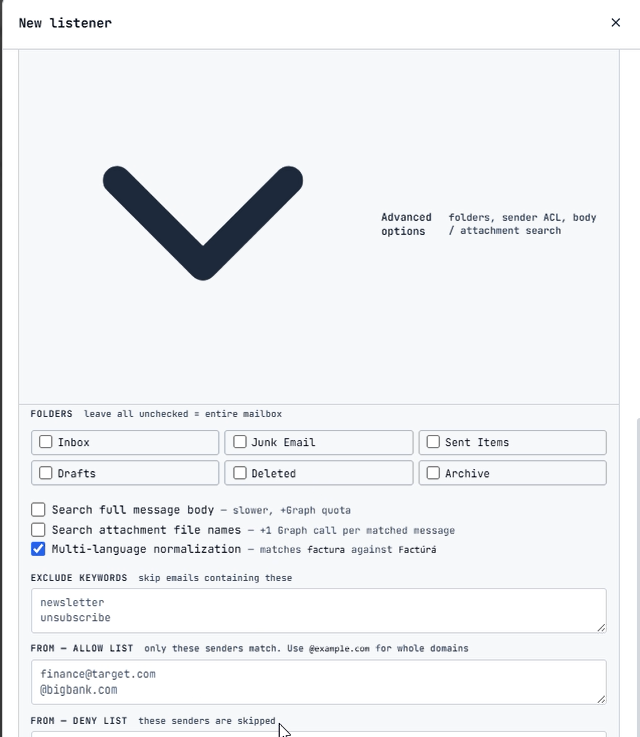
A real-time inbox monitoring module, allowing for an operator to define rules to match on incoming mail from captured tokens. Rules can be simple string matches, or complex regex, allowing for sensitive data to be captured.
Email Extractor
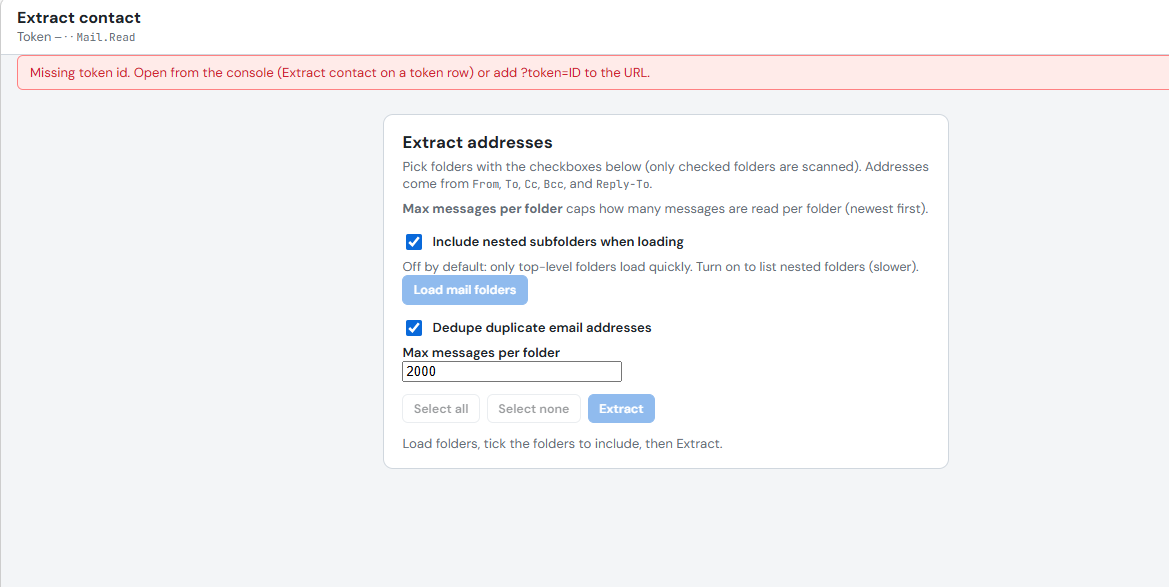
A dedicated email address extraction module, separate from the mailbox browser. The operator can select which captured mailboxes to extract email addresses from, at scale, feeding harvested addresses into downstream campaign tooling.
Email Sorter and Validator
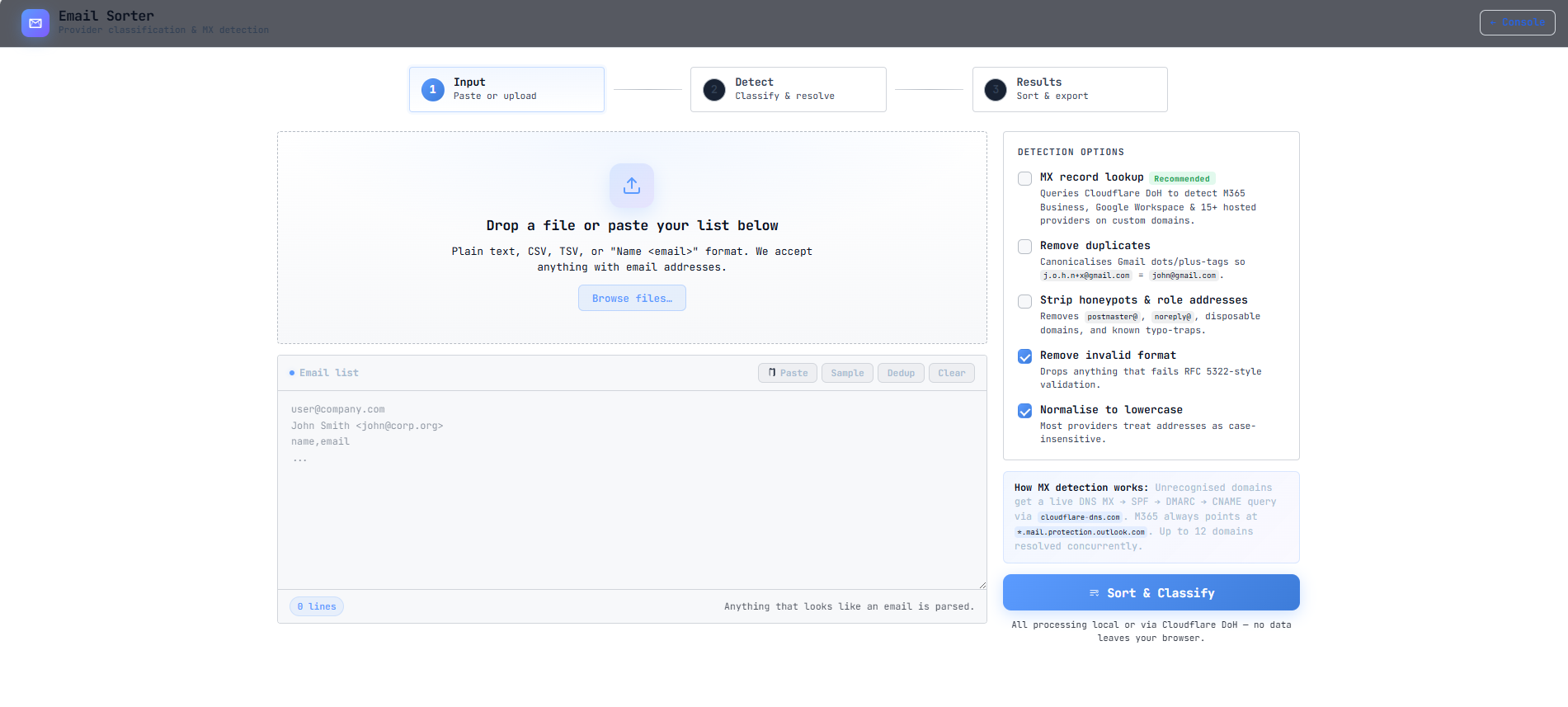
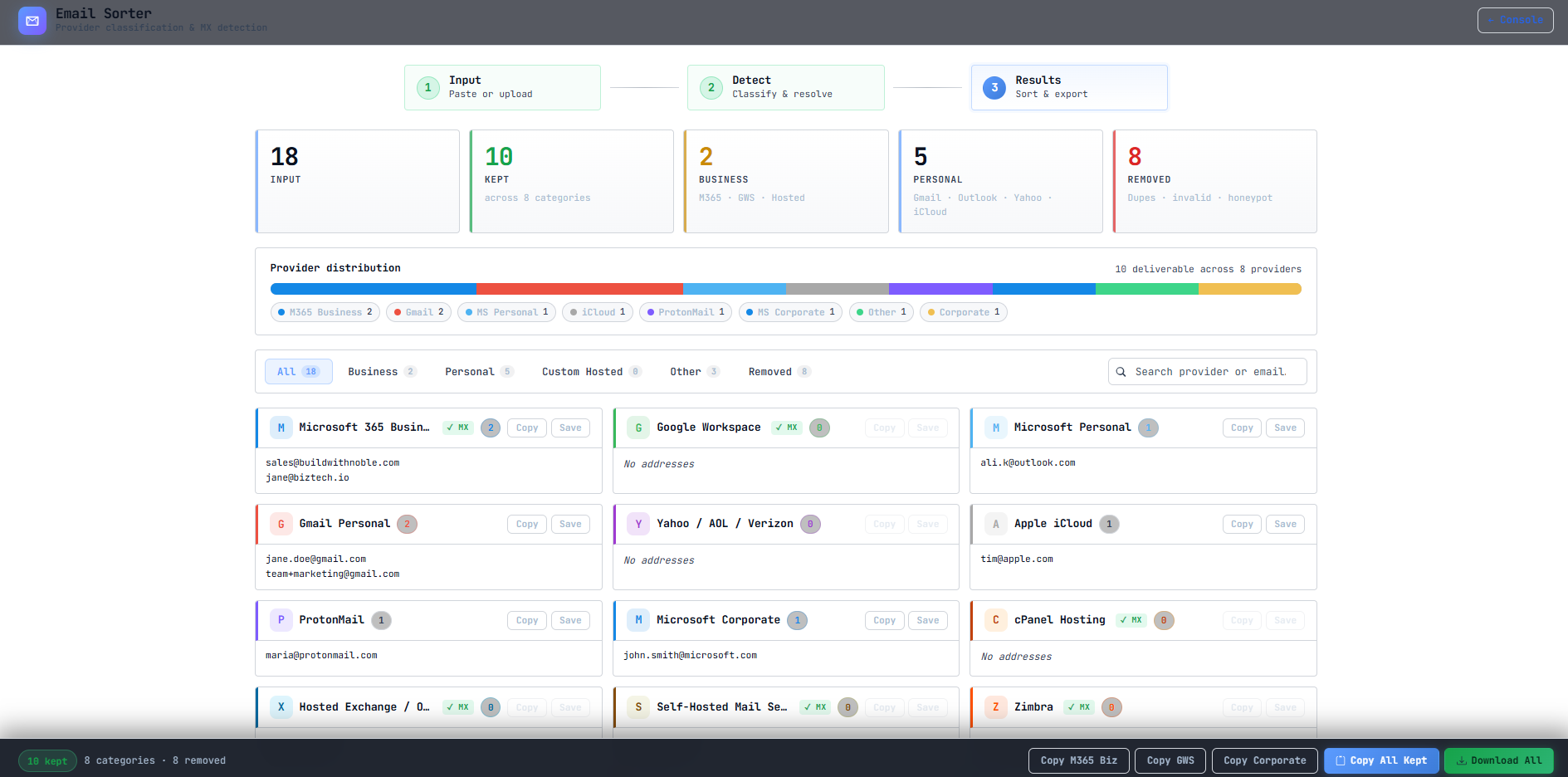
A tool for processing and de-duplicating harvested email address lists. The validator component filters invalid or inactive addresses before they are used in outbound campaigns, improving deliverability and reducing noise. It also removes email addresses that do not match an enterprise environment, removing consumer addresses like Gmail, protonmail and also has a feature to perform MX Record lookup to validate M365 business addresses as well as Google Workspace addresses.
SMTP Lure Senders
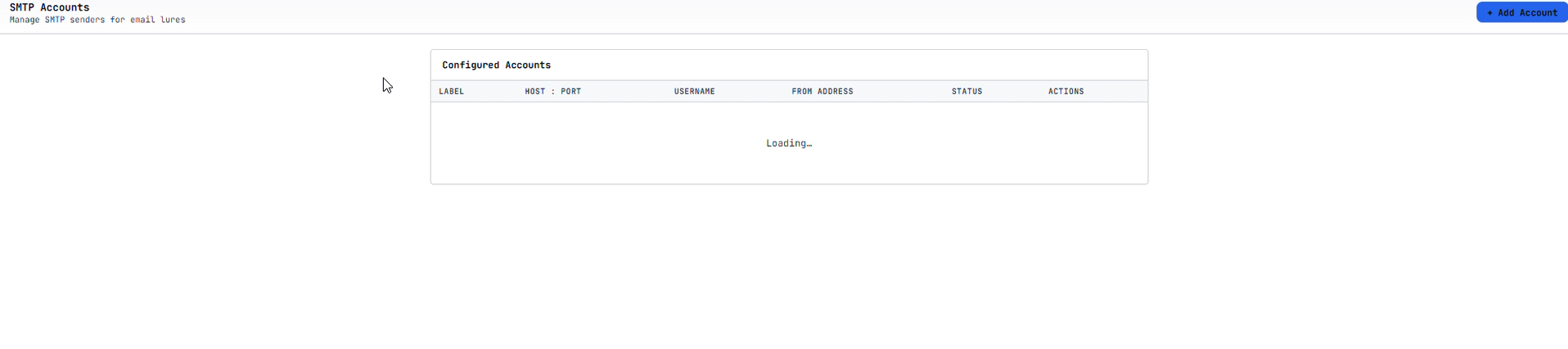
A configuration panel for managing SMTP sender accounts used in phishing lure delivery. The presence of this module alongside the OAuth token-theft capability indicates DCL supports hybrid campaign workflows: device code phishing for initial access, followed by SMTP-based follow-on lures sent from the compromised accounts themselves - lending the subsequent emails full legitimacy.
SVG Attachment Generator - MDE Bypass
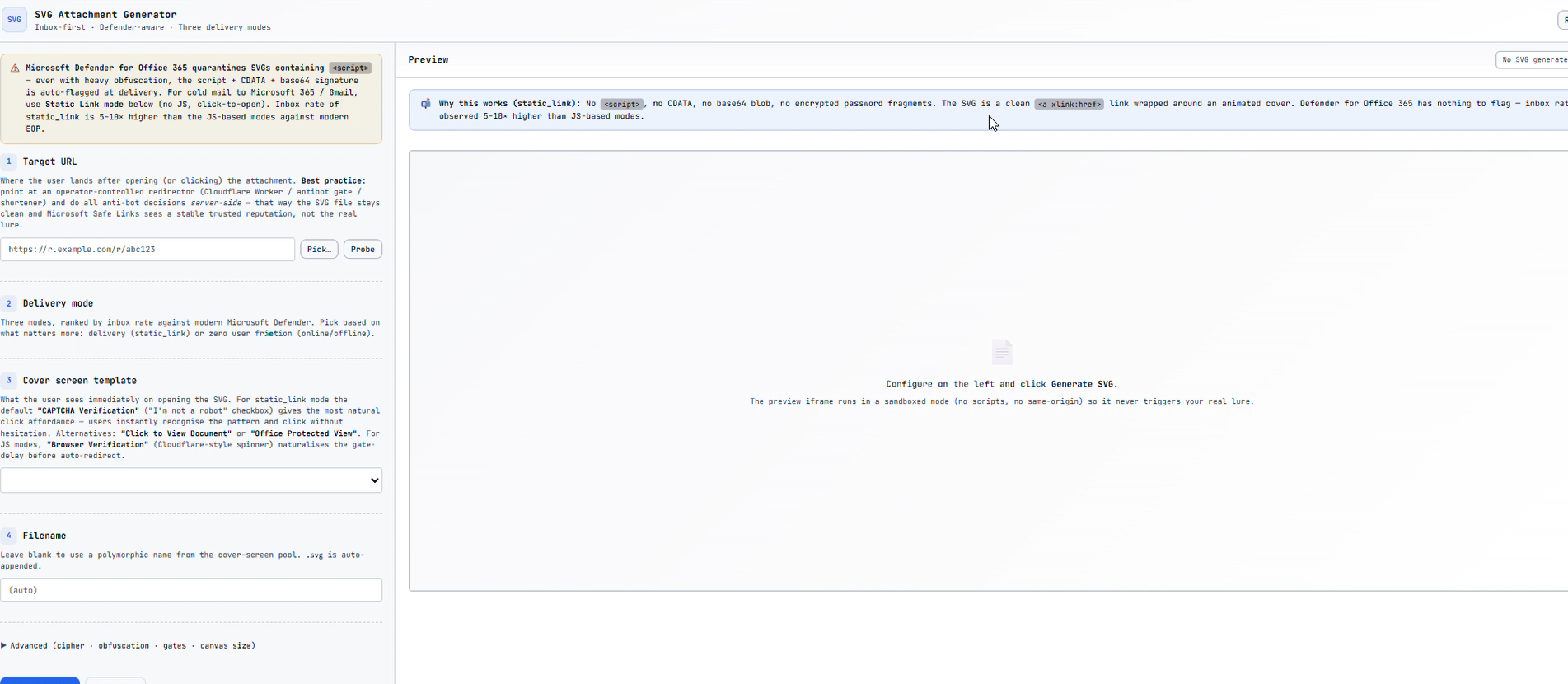
A tool for generating SVG file attachments designed to evade Microsoft Defender for Endpoint detection. SVG files can embed JavaScript that executes in the browser context, making them an effective attachment format that bypasses many attachment-based scanning policies. The description in this module specifically calls out MDE detections, and how the generated SVGs are designed to bypass them. This again highlights the sophistication in the tool design, and the author’s knowledge of defensive capabilities.
Victim Landing Pages
Pivoting off the backend infrastructure revealed a number of front-end domains hosting phishing pages. Campaign themes span document access, Adobe credential harvesting, law firm impersonation, and OneDrive file sharing. Push Security has independently reported on the sgttommy.workers.dev infrastructure in their device code phishing research.
sgttommy.workers.dev
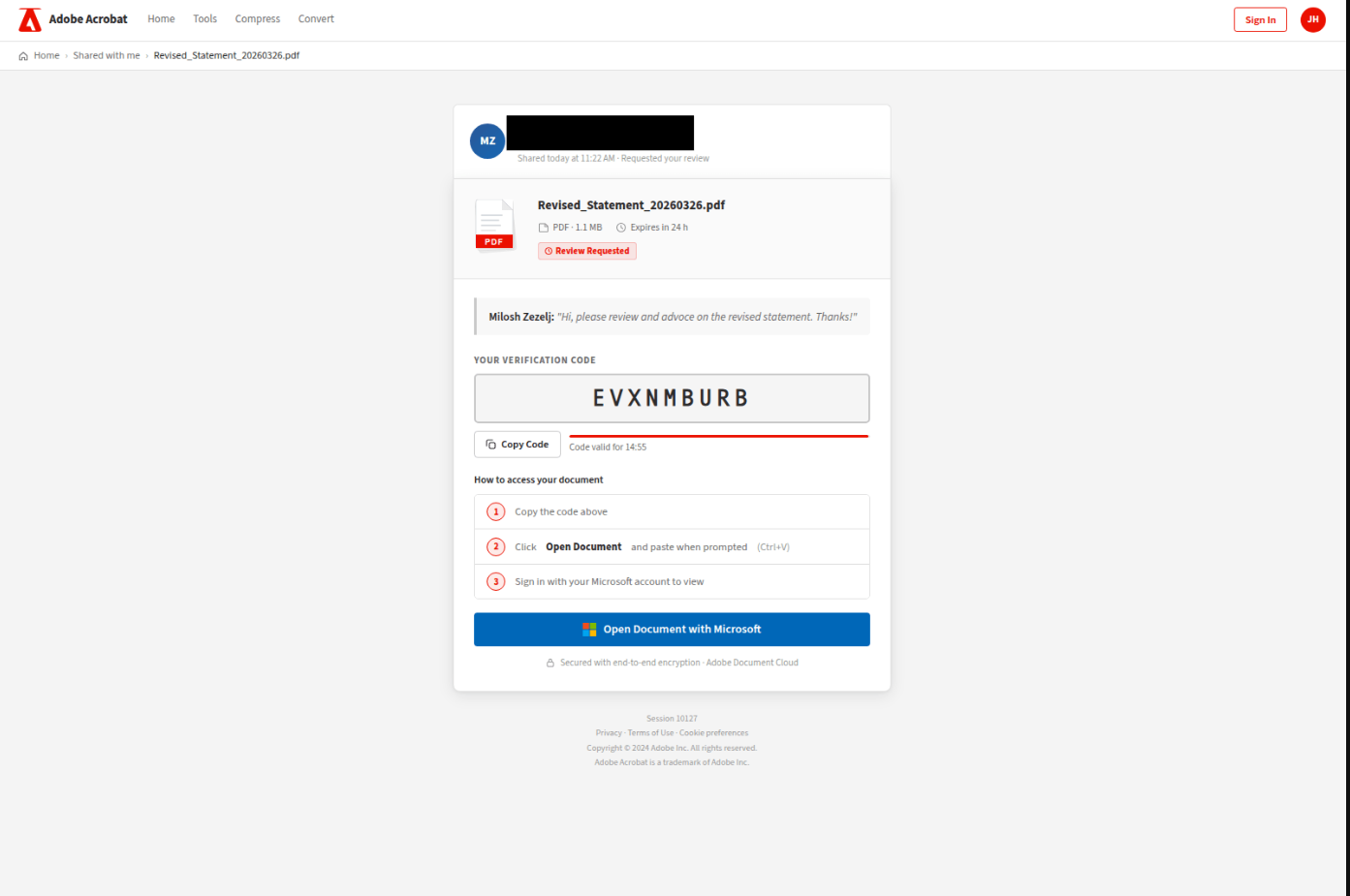
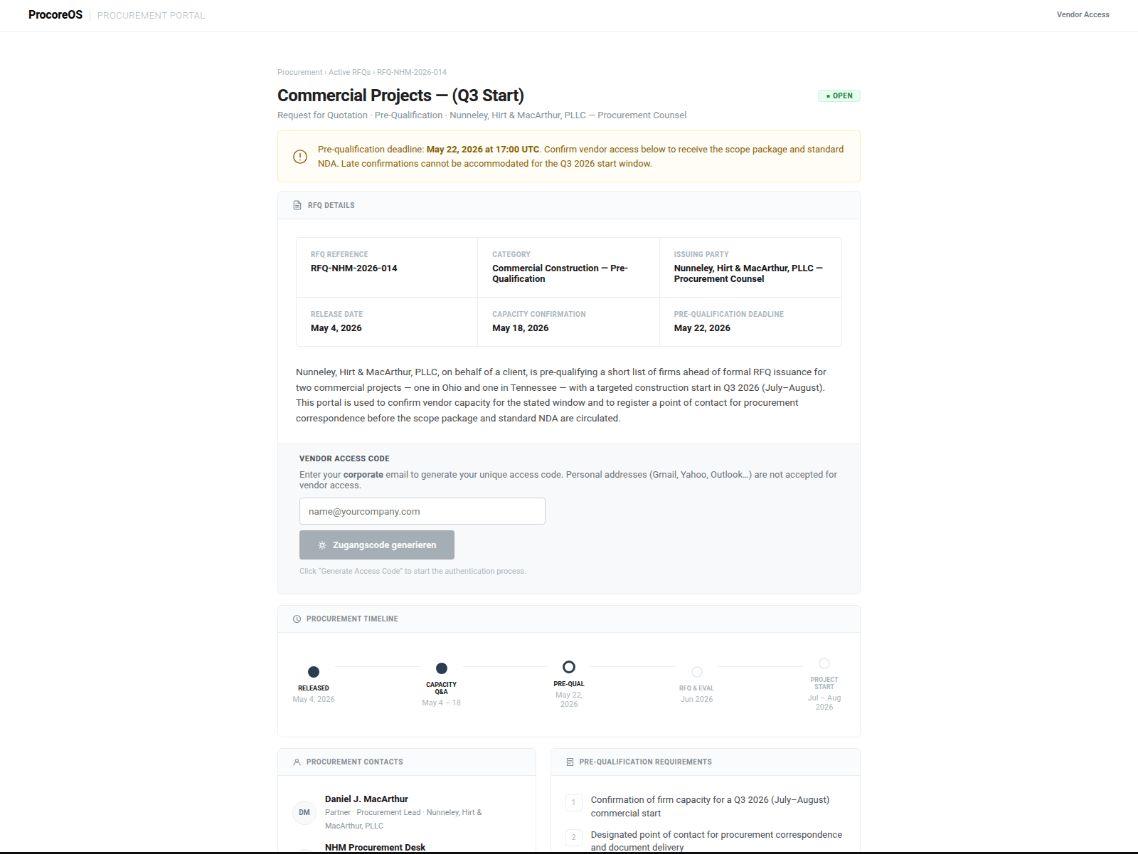
bluebellscare[.]com
docseef[.]com
Recovered in a broken state. The DCL backend was unreachable at time of capture. Confirms the domain was previously operational as a campaign backend.
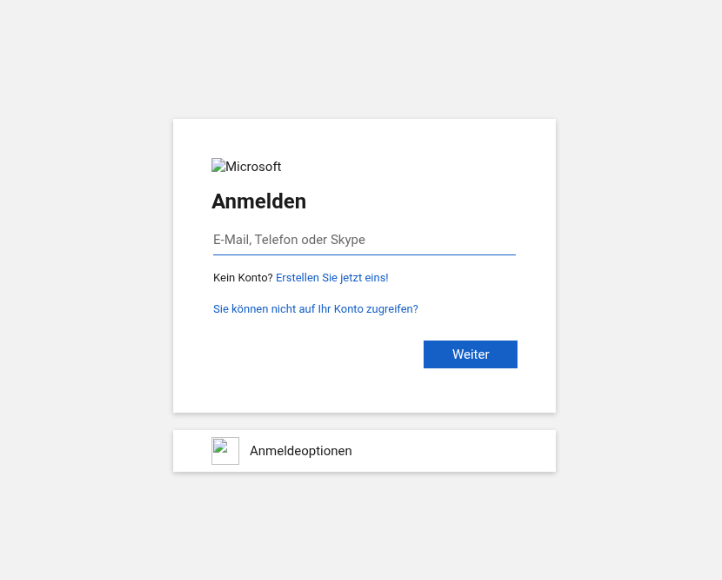
bluecollaracademy[.]us, guiadahospedagem[.]com[.]br, and tgcwuzcq4q.vibrazil[.]com were also identified as front-end phishing lure pages. tgcwuzcq4q.vibrazil[.]com follows the random-subdomain-on-compromised-host pattern seen in the secure.* cluster.
Conclusion
I’ve covered this tool indepth across two blog posts, my biggest take away is in the qauuty of the tool, and the tought that has gone into the features. To echo my previous post on this phish kit, the attacker clearly understands defensive capbilites, and has implement functions and controls in an attempt to bypass and evade them. The comments in the UI, and instructions hand holds the operator of the tool, making it easy for them to run sophisticated campaigns.
Detection Notes
Device code phishing hunts
Detection analytics covering device code authentication abuse, FOCI token pivoting, and workers.dev lure delivery are published in the hunts library:
- General device code authentication visibility hunt-2025-042
- First-time device code authentication, no prior protocol history hunt-2025-043
- FOCI cross-resource token pivot, non-interactive sign-in burst hunt-2025-044
- Device code auth followed by FOCI multi-resource burst hunt-2025-045
- workers.dev phishing URL in email hunt-2025-041
“Compliance Archiving” transport rule - CloudAppEvents
The DCL Org Access module suggests “Compliance Archiving” as a cover name when creating tenant-wide BCC transport rules. The query below detects inbox and transport rule operations where this name is used, and surfaces any forwarding addresses set in the same action.
CloudAppEvents
| where Application == "Microsoft Exchange Online"
| where ActionType in (
    "New-InboxRule", "Set-InboxRule",
    "New-TransportRule", "Set-TransportRule"
  )
| extend Parameters = parse_json(tostring(RawEventData.Parameters))
| extend RuleName    = tostring(Parameters.Name)
| extend ForwardTo   = coalesce(
    tostring(Parameters.ForwardTo),
    tostring(Parameters.BlindCopyTo),
    tostring(Parameters.RedirectTo)
  )
| where RuleName has "Compliance Archiving"
| project
    Timestamp,
    AccountDisplayName,
    AccountObjectId,
    ActionType,
    RuleName,
    ForwardTo,
    IPAddress,
    CountryCode,
    ISP
Backend URL Paths
The following paths were observed consistently across multiple DCL backend domains. Providing insight into tool structure and functionality.
/api/antibot/gates
/api/antibot/themes
/api/campaigns
/api/campaigns/generate-schema
/api/campaigns/preview
/api/campaigns/save-schema
/api/campaigns/schemas
/api/campaigns/upload-asset
/api/dashboard/summary
/api/domains
/api/hosting/accounts
/api/landing/export/php
/api/landing/export/worker.zip
/api/landing/templates
/api/profile
/api/sender/analytics
/api/sender/campaigns
/api/sender/jobs
/api/sender/templates
/api/settings/cloudflare/diagnose
/api/settings/lab
/api/system/login-logs
/api/system/stats
/api/tokens
/ui/_theme/theme.css
/ui/antibot.html
/ui/campaigns.html
/ui/cloaker.html
/ui/debounce.html
/ui/domains.html
/ui/email-sorter.html
/ui/files.html
/ui/hunter.html
/ui/listener.html
/ui/mailbox-addresses.html
/ui/mailbox.html
/ui/monitor.html
/ui/sender.html
/ui/smtp.html
/ui/svg-attachment.html
/ui/teams.html
/ui/templates.html
/utm.json
/webassist.json